
How to Structure a Corporate Training Video Series | CPS
How to Structure a Corporate Training Video Series
Most corporate training video programs fail quietly. Completion rates sink, employees skip modules, and the content library sits unused six months after launch. The problem is rarely production quality. It's structure.
A corporate training video series that actually works is built around a learning framework — not just a list of topics someone recorded in order. Getting the structure right before you record anything is what separates a training library people return to from one that collects digital dust.
This guide walks through the framework we use at Cincinnati Podcast Studio's course creation services, the sequencing logic that drives module completion, and how to produce your full series efficiently in one structured recording day.
Quick Answer
A corporate training video series works best when it follows a layered structure: a foundational overview module first, then skill-specific modules, then application or scenario-based content. Each module should be 5–12 minutes. Map the series to a learning outcome before recording anything — structure determines whether employees actually complete it.
Why Structure Matters More Than Production Quality
Organizations invest significant time getting the video quality right — good lighting, clear audio, polished delivery. Those things matter. But a well-produced video with no clear learning objective loses an employee just as fast as a shaky Zoom recording. Structure is the variable most organizations underestimate.
When learners can't see where a series is going, they make their own decisions about whether to keep watching. Most stop. A clear series structure tells employees exactly what they're learning, in what order, and why each module matters — before they hit play on module one.
Structure also pays dividends beyond training. A well-organized series becomes a reference library. Employees re-watch specific modules when they hit edge cases on the job. New hires move through onboarding without a manager having to repeat the same explanations. The series keeps working long after the recording day is over.
If you're building a training library for the first time or rebuilding one that isn't working, book a Discovery Call to talk through the framework before you start scripting anything.
The Four-Layer Framework for a Corporate Training Video Series
Every effective corporate training series follows the same basic architecture, regardless of the subject matter. Think of it as four layers, each building on the last.
Layer 1 — Orientation: This is the why-and-what module. It tells employees why this training exists, what the series covers, and what they'll be able to do when they finish. It is not a content module — it's a framing module. Keep it under 6 minutes. Without it, learners approach every subsequent module without context, and retention drops.
Layer 2 — Core Knowledge: These are the foundational concept modules. They answer "what is this" and "how does this work" before asking anyone to do anything. This is where most programs get too long — subject matter experts tend to front-load everything they know. Ruthlessly prioritize: what does someone need to understand to apply this? Everything else is supplementary.
Layer 3 — Skill Application: These modules show exactly how to perform a specific task or follow a specific process. Step-by-step. Concrete. This layer benefits most from a professional studio environment — framing, lighting, and clear audio make demonstrating a process significantly easier to follow than a screen recording or a shaky phone video.
Layer 4 — Scenarios and Edge Cases: This is where the training becomes durable. What do employees do when something doesn't go as planned? Scenario-based modules close the gap between "I understand the concept" and "I know what to do in a real situation." These are often the most watched modules six months after launch.
This four-layer structure applies whether you're building onboarding content, compliance training, product knowledge, or leadership development. The labels change; the architecture holds.
How to Sequence Modules for Maximum Completion
Most training series are sequenced chronologically — what happened first gets taught first. That's the wrong instinct. Sequence based on urgency and stakes, not timeline.
Start with the module that has the highest consequence if an employee gets it wrong. That's typically a compliance issue, a customer-facing process, or a core safety procedure. Starting with the highest-stakes content signals to learners that this series is worth their time. It also ensures that even employees who only complete the first two modules walk away with the most critical information.
Keep early modules short. The first two modules should be under 8 minutes each. Completion rate on module one sets the tone for the whole series. If learners finish module one and feel like they learned something useful in a reasonable amount of time, they come back. If module one is 22 minutes of background context, most won't start module two.
Use a consistent module format throughout. A predictable structure — brief intro, core content, summary, action step — reduces cognitive load. Employees aren't figuring out how the video works; they're focused on the content. This consistency also makes short-form video clips much easier to produce later, since each module has a natural hook and a clear takeaway built in.
Build layer checkpoints between major sections. A brief review module after Layer 2 (Core Knowledge) before moving into Layer 3 (Skill Application) gives learners a reset point. It's also a natural place to include a quiz or reflection prompt if your LMS supports it.
Common Mistakes That Undermine Training Video Programs
The mistakes that sink training video programs are predictable enough that most of them are avoidable with a proper pre-production checklist.
Recording without a clear learning objective per module. Every module needs a single, testable outcome: "After watching this module, the employee will be able to do X." Without it, presenters ramble, modules run long, and learners can't tell whether they've understood the material. Write the objective first; build the module around it.
Modules that run 20–30 minutes. There is almost no training topic that requires a 25-minute module. Long modules are usually a sign that the scope hasn't been narrowed or the content hasn't been split into its proper layers. Break any module over 12 minutes into two or more focused modules with distinct objectives.
Skipping the orientation module. This happens most often when an organization wants to "get right to the content." The orientation module feels optional until learners start dropping off because they don't understand why the series matters to them. It's not optional — it's the on-ramp.
Treating the series as a one-time project. Training needs change. Processes evolve. Regulations update. A training library built to be static becomes outdated fast and stops being used. Build the series knowing that individual modules will need to be re-recorded, not the whole series. That's also an argument for working with a content strategy team that can help you map the update cadence alongside the initial build.
If you're working through the design phase of a training series and want a second opinion on the structure before going into production, schedule a Discovery Call. That conversation is free and usually clarifies a few structural questions before they become expensive problems in post-production.
How to Build Your Entire Series in One Studio Day
Once your series structure is mapped and your module outlines are locked, a professional studio gives you the most efficient path to completion. At Cincinnati Podcast Studio, a single batch recording day typically produces 8–15 modules depending on length — enough to complete a full onboarding series, a compliance library, or a product knowledge curriculum in one session.
The key is arriving prepared. Your outlines should be finalized before the day starts — not in rough notes, but in the format your presenters can actually work from. Most subject matter experts perform better with a structured bullet outline than a word-for-word script, but that depends on the presenter. The studio team adapts to the format that works for each person.
Record in layer order when possible. Layer 1 and Layer 2 modules tend to use the same framing and the same presenters. Grouping them keeps the setup time between modules low. Layer 3 and 4 modules often involve different demonstrations or different supporting materials, so they're better sequenced toward the end of the day when the team is warmed up.
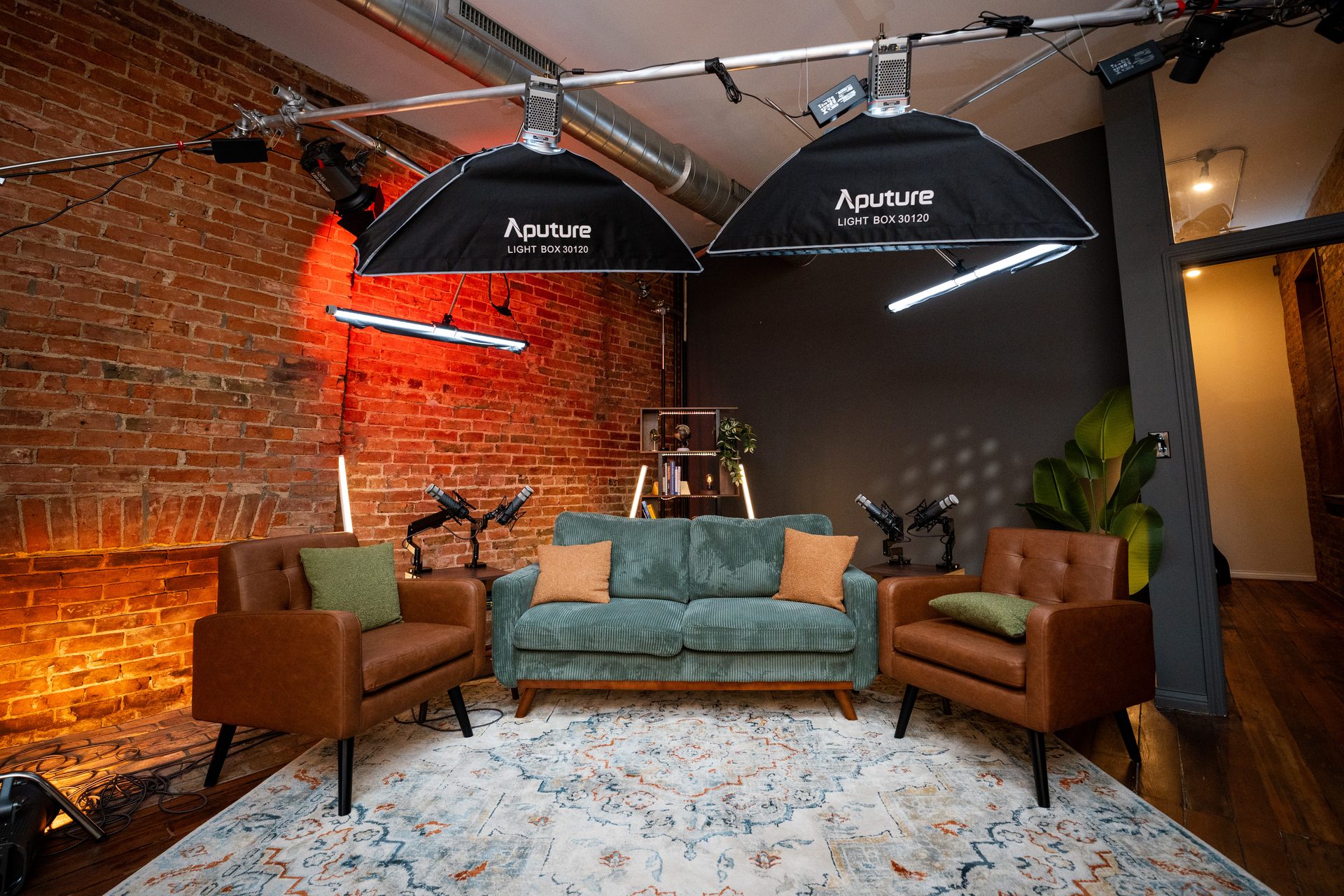
The studio setup matters more for training videos than most organizations expect. Consistent framing and lighting across modules tells learners they're inside a coherent library — not watching a patchwork of recordings from different environments. That visual consistency is one of the underrated signals that a training program was built intentionally. It also makes future module re-records blend seamlessly with the original library.
For teams building a corporate training library in the Greater Cincinnati or Northern Kentucky area, our course creation and training video production service handles the full production side: 4K video, professional audio, multi-camera setup for up to four presenters, and post-production handoff. You focus on the expertise. We handle everything else.
If you're also considering a webinar format for live delivery alongside your on-demand training library, professional webinar production can run from the same session — the studio setup supports both formats without a room change.
Frequently Asked Questions
How many videos should be in a corporate training series?
Most effective series run 6–12 modules. Fewer than 5 and you're likely missing a learning layer; more than 15 and completion rates drop sharply. Map to learning outcomes first, then count modules.
How long should each training video be?
5–12 minutes per module is the practical standard for corporate training. Orientation and overview modules can run slightly longer. Skill-specific and scenario modules should be tighter — 5–8 minutes.
Do I need a script for training videos?
A structured outline is essential; a word-for-word script is optional. Most subject matter experts perform better with bullet points and key phrases than a full script. What matters is knowing your learning objective for each module before you record.
What is the difference between a training video and a webinar?
Webinars are typically live or live-recorded sessions with a presenter and audience dynamic. Training videos are structured for on-demand, self-paced consumption — they're designed to be watched repeatedly and referenced later. You can produce both from the same studio day.
Can I record a full training series in one day?
Yes, with the right prep. A well-structured batch recording day at a professional studio can produce 8–15 modules. The key is having your outlines finalized before you arrive and sequencing the recording order to match your energy curve through the day.
How do I structure a training video for new employee onboarding?
Start with a company orientation module (why we exist, how we work), then role-specific process modules, then scenario or edge-case modules. Keep each under 10 minutes and use consistent visual structure so new hires know how to navigate the library.
Build a Training Library That Actually Gets Used
Structure is the difference between a training library that lives in a shared drive and one that employees return to. It's also the variable most organizations skip in favor of getting to production faster — which is why so many corporate training video programs underperform.
Map your learning outcomes. Apply the four-layer framework. Sequence for urgency, not chronology. Then walk into a single well-structured recording day and build the whole library at once.
If you want to talk through how that works for your specific training use case — onboarding, compliance, product knowledge, or leadership development — book a Discovery Call with the Cincinnati Podcast Studio team. We'll help you map the structure before you spend a dollar on production.
You can also explore how other Cincinnati-area business leaders are using video content strategically on the Cincinnati Business Podcast, or explore our resources for more on the video production process.