How to Build a Course Library From Your Existing Expertise
How to Build a Course Library From Your Existing Expertise
Most subject matter experts are sitting on a course library they've never built. They've answered the same questions hundreds of times, developed frameworks their clients rely on, and refined processes over years of real-world work. The knowledge is there. The course isn't — because turning expertise into structured video content feels overwhelming before you start.
This guide breaks down exactly how to do it: how to organize what you know, how to sequence it for learners, and how to record an entire course library without it taking over your calendar.
The goal isn't to build a perfect library before you launch. It's to get your Tier 1 course live, validate that people want it, and build the rest from a foundation that already works.
Quick Answer
To build a course library from your expertise, map what you know into three tiers — foundational concepts, applied skills, and advanced scenarios — then sequence them into standalone modules. Record in batch sessions so each topic gets its own video, and publish progressively: launch your first course while you complete the rest. You don't need to build everything before you start. Course creation services can handle the production side so you stay focused on the content.
Why Most Experts Never Turn Their Knowledge Into a Course Library
It's not a lack of expertise. It's the production problem and the structure problem hitting at the same time.
The production problem: most experts don't have a reliable way to record video at the quality level a professional course requires. Home offices, inconsistent lighting, and audio that picks up the HVAC system create a subpar result that undermines credibility — even when the content is excellent.
The structure problem: expertise doesn't naturally organize itself into a curriculum. You know the material, but you haven't necessarily broken it down into a logical sequence that a learner can follow without you in the room. That mapping work feels daunting, so it doesn't get started.
The result: the course library stays in a to-do list for years. The fix for both problems is to separate them — solve the structure first, then solve the production.
Step 1: Map Your Expertise Into a Three-Tier Curriculum
Before you write a single script, map what you know. Most expertise, regardless of the field, naturally fits into three tiers:
Tier 1 — Foundational Concepts (the "what")
The baseline knowledge a learner needs to make sense of anything else you'll teach. These are your definitions, frameworks, and first principles. This tier answers: what is this, and why does it matter?
Tier 2 — Applied Skills (the "how")
The processes, workflows, and decision trees a learner needs to actually do the thing. This is where most of your experience lives. Tier 2 answers: how do I actually apply this in practice?
Tier 3 — Advanced Scenarios and Edge Cases
The nuance, exceptions, and complex situations that only come up after someone has the fundamentals down. This tier answers: what do I do when it gets complicated?
Go through your existing work — proposals, presentations, email answers, workshop materials — and sort everything into those three buckets. You're not writing modules yet. You're just mapping the territory. Most experts find they have more Tier 2 material than they realized, and that's where the library gets built.
If you work with a consulting team before recording, this mapping step is often the most valuable hour of the engagement. Getting it right before you record means every module has a clear purpose and a place in the sequence.
Step 2: Sequence Modules for Maximum Completion and Retention
Once you've mapped your tiers, sequence the modules. The goal is a progression that feels logical to a learner — not one that mirrors how you learned the material yourself.
Make modules standalone. Each module should teach one thing completely. Learners should be able to pause and apply the lesson before moving on. If a module requires the previous one to make sense, you've got two tightly coupled modules — consider separating the concepts or building a short bridge section.
Don't gate depth behind completion. Some learners will skip ahead. Design for that. If your Tier 3 modules assume a learner did every Tier 2 module in order, someone who skips will be lost. Add brief recaps at the start of advanced modules that cover what they need to know to follow along.
Target 5–12 minutes per module. This is the practical ceiling for completion rate. If a concept needs more than 12 minutes, split it. A learner who finishes eight 8-minute modules feels more progress than one who's halfway through a 64-minute session. That feeling of progress keeps completion rates high.
Once you have a sequenced list of modules, you have your recording outline. Every item on that list is a shoot item for your recording day.
Step 3: Plan Your Recording Day to Batch the Whole Library
With a full module list in hand, the next step is recording — and this is where batching pays off significantly.
Rather than recording one module at a time on different days, plan a recording day (or two) where you knock out entire tiers in sequence. This delivers three real advantages: your energy and pacing stay consistent across modules in the same tier, the visual and audio quality is identical across every lesson, and you're done with production instead of dragging it out over months.
Batch by tier, not by topic. Record all of your Tier 1 modules in one block before moving to Tier 2. This keeps your mindset in the right place — foundational mode, then applied mode, then advanced mode. Jumping between tiers mid-session leads to uneven pacing.
Outline every module before you record anything. Arrive at the studio with a clear outline for each lesson: opening hook, key points, summary, and bridge to the next module. You don't need a word-for-word script. You need enough structure that you don't lose track of what you're teaching halfway through.
Studio recording vs. DIY for consistency. The most common mistake in course library production is recording Tier 1 in a professional space and then trying to match that quality at home for Tier 2 and 3. Learners notice the difference. It undercuts the premium feel of the earlier material. When possible, batch the entire library in a single professional recording environment so every module looks and sounds identical.
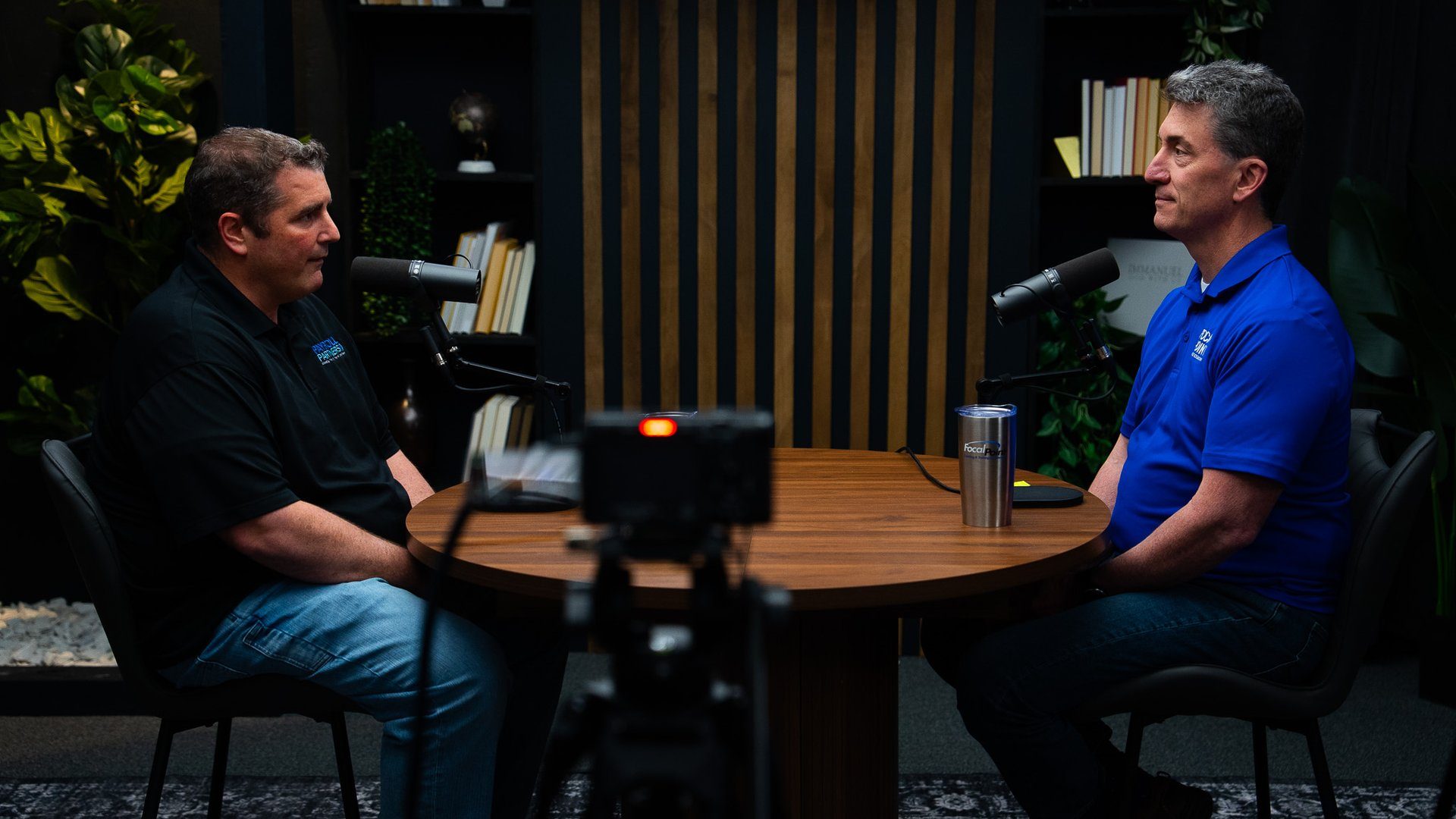
Our course creation services at CPS are structured specifically for batch recording days. We handle the camera, lighting, audio, and production support — you handle the content. Most clients walk out with eight to twelve completed modules from a single session, which is typically a full Tier 1 course plus supporting content.
For Cincinnati and Northern Kentucky businesses, that batch model means you can complete the production side of your course library in a day or two rather than spreading it across weeks of home recording sessions. Book a Discovery Call to map out what a batch recording day would look like for your library.
Step 4: Launch the First Course While You Build the Rest
The biggest mistake in course library development is waiting until everything is finished before publishing anything. By the time Tier 3 is recorded, the market you were building for has moved on — or worse, you've built something nobody wanted.
Use a progressive publishing model. Launch your Tier 1 course as soon as it's recorded and edited. Get it in front of learners. Collect completion data and direct feedback. Use what you learn to refine your Tier 2 outline before you record it.
Validate demand before you complete the library. If your Tier 1 course isn't selling, the problem is either positioning, audience, or the offer — and you want to discover that while you still have the flexibility to adjust. Completing all three tiers before validating means you've done all the work on assumptions that may not hold.
Frame the library as a progression, not a prerequisite. When you launch Tier 1, tell your audience what's coming next. Give them a clear path: "This course covers the foundation. In the next module series, we go deep on application." That framing builds anticipation and keeps early buyers engaged while you complete the rest.
The Cincinnati Business Podcast is a good model for this: consistent content that builds authority over time, rather than a single big production drop. A course library works the same way — progressive output, compounding value.
Common Mistakes Experts Make When Building a Course Library
Waiting for perfect. "I'll record it when I have more time / better gear / a cleaner outline." More time doesn't materialize. Better gear doesn't fix a disorganized curriculum. Done and imperfect beats indefinite and theoretical.
Making modules too long. Expertise wants to be comprehensive. Learners want to be efficient. Those two impulses conflict. Cut any module content that doesn't directly serve the stated learning objective for that lesson.
Skipping production quality. A course with bad audio loses learners before they get through Lesson 2. Sound quality is the single biggest factor in whether learners complete your content. If the audio is rough, the credibility of the content suffers regardless of how good it actually is.
No clear learning objective per module. Every module needs one sentence that completes the phrase: "After this lesson, you will be able to..." If you can't write that sentence cleanly, the module isn't focused enough. Tighten it before you record.
Our content strategy consulting team regularly helps experts identify these gaps before they step in front of a camera. It's far easier to fix a curriculum outline than to re-record eight modules because the sequence doesn't work.
Frequently Asked Questions
How many courses should be in a course library?
Start with one complete course — three to five modules — and expand from there. A library doesn't need to be large on day one. Most successful course libraries grow progressively as creators validate demand, gather learner feedback, and add depth to existing tracks.
How long should each course module be?
Between 5 and 12 minutes is the practical target for most professional training content. Shorter modules improve completion rates and let learners fit learning into a busy schedule. If a concept requires more depth, break it across two modules rather than stretching one.
Do I need professional video equipment to build a course library?
You need clear audio and stable, well-lit video — two things most DIY setups struggle to deliver consistently. Many experts use a professional studio for course recording because it removes the gear problem entirely and delivers broadcast-quality results without the troubleshooting. Our course video production services handle all of it.
Can I record an entire course library in one studio session?
Yes — many experts batch their entire Tier 1 curriculum in a single day. With a structured outline, you can record eight to twelve modules in one session. CPS clients regularly produce a full introductory course plus supplemental content in one batch recording day.
What's the best way to organize a course library for learners?
Organize by learning outcome, not by how you think about your expertise. Learners want to know what they'll be able to do after completing each course, not how you've categorized your knowledge internally. Clear titles, module previews, and logical progression from foundational to advanced are the three most important structural choices.
How do I know if my expertise is worth turning into a course?
If you're answering the same questions repeatedly — in client meetings, on calls, in email — that repeated content is your course. The topics you explain most often are the ones your audience needs most. Those are the modules to build first. If you're not sure where to start, podcast idea research uses the same validation framework and can help you identify which expertise lane has the most audience demand.
Ready to Build Your Course Library?
The expertise is already there. The structure just needs to be built — and the production handled in a way that doesn't turn into a multi-month side project.
CPS works with consultants, coaches, and B2B leaders to produce full course libraries in structured batch recording days. You come in with an outline. You leave with a library of broadcast-quality video modules, ready to upload.
Book a Discovery Call to talk through what your course library would look like and what a recording day at CPS actually covers. Or contact us if you'd rather start with a question.
Related: short-form video clips from course content can extend your reach on LinkedIn and YouTube without additional recording sessions. We handle that too.