
What Makes a Good Training Video? 5 Elements That Work
What Makes a Good Training Video?
Most training videos fail before the first minute is over. Not because the content is wrong — because the audio is bad, the structure is loose, or the delivery doesn't earn the viewer's attention. The gap between a training video employees skip and one they actually complete comes down to a handful of production and content decisions you make before you ever hit record.
Here's what actually separates effective training videos from ones that collect dust in an LMS.
The five elements of a good training video are: a clear learning outcome, professional audio, clean visuals, focused module structure, and a strong opening. Audio quality is the single most influential factor — poor audio causes learner dropout faster than any other production issue.
Quick Answer
A good training video is clear, concise, and well-structured — with strong audio, clean visuals, focused content per module, and a defined learning outcome. The single biggest factor most organizations overlook is audio quality. Poor audio causes learner dropout faster than any other production issue. Professional lighting and a distraction-free background come second. Whether you're building an onboarding library or a full certification program, these five elements apply every time.
The 5 Elements of a Good Training Video
Every training video that actually works — that gets completed, retained, and applied — shares the same five characteristics. These aren't production luxuries. They're baseline requirements for content that does its job.
1. A Clear Learning Outcome Per Module
Before you record anything, every module needs a single, defined answer to: "What should the viewer be able to do or understand after watching this?" Vague modules produce vague results. If a module tries to cover three concepts, it usually teaches zero of them well. One module, one outcome — every time.
2. Professional Audio
Audio is non-negotiable. Research on viewer behavior consistently shows that people tolerate imperfect video but abandon bad audio almost immediately. Echo from an untreated conference room, HVAC hum, background office noise — these aren't minor annoyances. They are active barriers to learning. A condenser microphone in an acoustically treated space fixes this. A lapel mic in a quiet room is a reasonable step up from nothing. A conference room is not a recording environment.
3. Clean, Distraction-Free Visuals
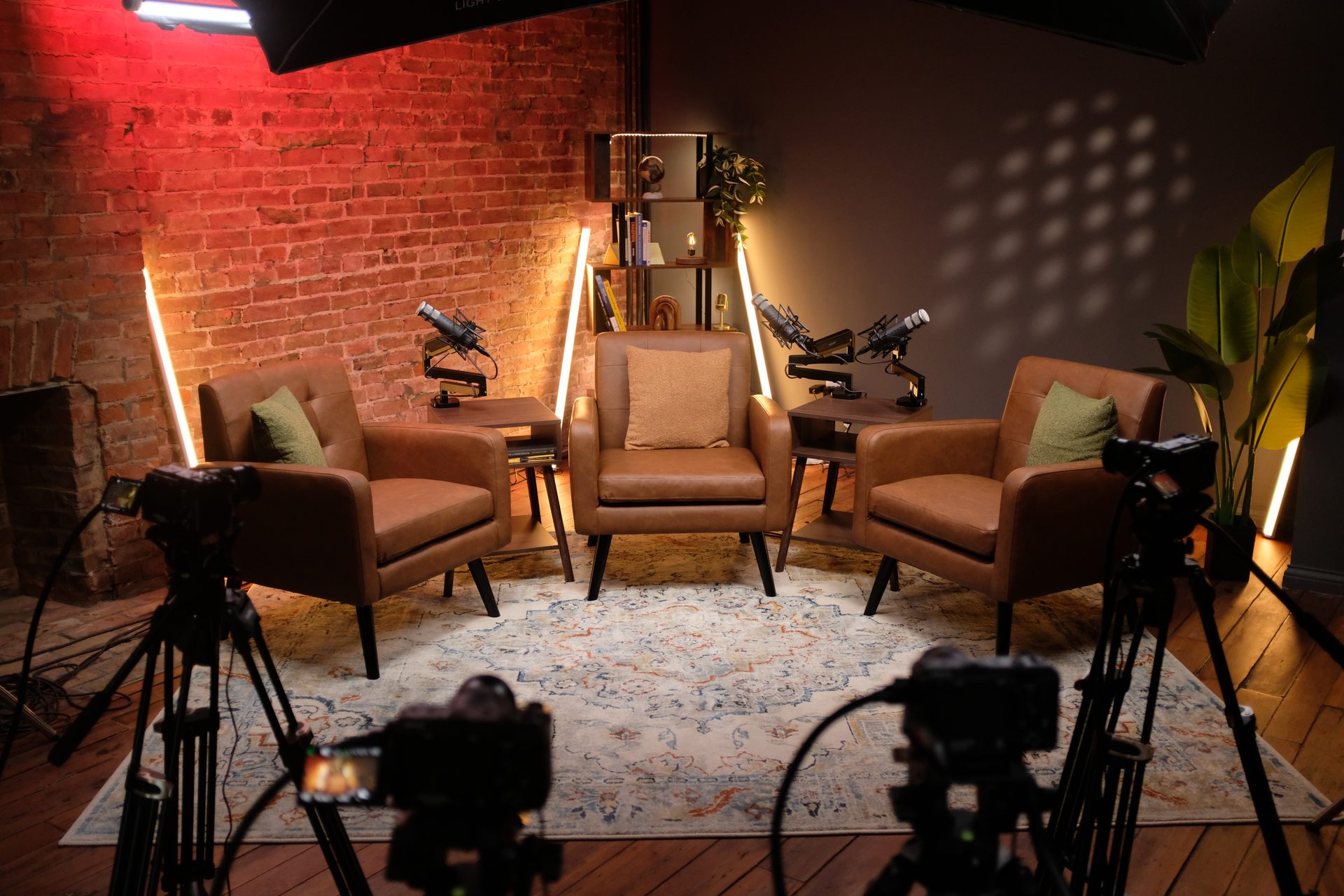
The background matters more than most people realize — not because of aesthetics, but because of attention. A cluttered background, inconsistent lighting, or a busy office environment constantly pulls the viewer's eye away from the speaker. A clean, consistent set keeps focus where it belongs: on the content. This is one of the clearest practical advantages of course creation services in a professional studio — the visual environment is already solved.
4. Focused, Concise Delivery
One idea per segment. Three to seven minutes per module is the sweet spot for most corporate training content. Microlearning modules — under three minutes — work well for compliance, onboarding steps, and procedural walkthroughs. A 45-minute video covering an entire department's process is almost never watched in full. Break it into modules. Give learners natural stopping points and a sense of progress.
5. A Strong Opening That Earns Attention
You have about 15 seconds before a viewer decides whether to stay. Don't spend those 15 seconds on housekeeping, agenda slides, or "welcome to module three." State the outcome, make it relevant to the viewer's actual job, and get into the content. Confidence and directness in the first sentence does more for completion rates than any post-production edit.
Why Audio Quality Is the Single Biggest Factor
If you can only invest in one upgrade to your training video production, make it audio. The data on this is consistent: viewers tolerate poor video quality, but they leave bad audio. Within the first 30 seconds, echo, background noise, or a muffled recording tells the viewer that this content wasn't made for them — it was made because someone had to.
The most common audio problems in corporate training video production:
- Conference room echo — parallel walls and hard surfaces create reverb that no microphone eliminates after the fact
- HVAC noise — constant low-frequency hum that sits under the entire recording and causes fatigue
- Background office sounds — keyboard clicks, conversations, phones, doors
- Mic placement — a camera-mounted mic picks up the whole room; a lapel or condenser mic close to the speaker picks up the voice
The fix isn't always a professional studio. A quiet room with soft surfaces (carpet, curtains, foam panels) and a decent lapel microphone is a meaningful improvement. But for organizations producing onboarding libraries, compliance training, or sales enablement content that represents the company externally — professional acoustic treatment is worth it. You can explore resources for training video production on our site, or schedule a Discovery Call to talk through your specific setup.
How Structure and Module Length Affect Completion
Completion rates for training content are directly tied to how the content is structured, not just how good the content is. A well-researched, accurate 40-minute video will have lower completion rates than the same content broken into seven focused modules — because learners can track their progress, stop at natural breaks, and return without losing their place.
The structure principles that consistently improve completion:
- 3–7 minutes per module for most corporate training topics
- Under 3 minutes for microlearning: compliance steps, policy updates, onboarding checklists
- One concept per module, not one category — "How to Handle a Refund Request" not "Customer Service Fundamentals"
- State the outcome in the first 10 seconds — "After this module, you'll know how to..."
- End with a clear next step — a check-in question, a practice task, or a direct link to the next module
If you're producing short-form video for external marketing alongside your training library, the module structure principles overlap significantly. Batch recording — shooting all modules back-to-back in a single day — is the production approach that makes this efficient at scale.
What Professional Production Actually Changes
When organizations first consider a professional studio for training video production, the question is usually whether the upgrade is worth the cost. The clearer question is: what does poor production actually cost you in time, re-records, and learner dropout?
Here's what professional production solves that DIY setups almost never do consistently:
Audio and Acoustics Are Already Handled
An acoustically treated studio eliminates the conference room problem entirely. No echo, no HVAC hum, no re-recording because someone walked by during a take. The recording environment is controlled — so your subject matter expert shows up and talks, and the audio is clean from take one.
Lighting and Background Are Consistent Across Every Module
One of the fastest ways to make a training library look low-budget is inconsistent lighting across modules. Module 1 looks polished. Module 4 was recorded in a different office with window light shifting throughout. A studio eliminates that variability. Every module looks like it belongs to the same production — which it does.
On-Camera Confidence Improves With a Production Team
Most subject matter experts are not professional presenters. In a self-directed setup, they're managing the camera, the slides, the remote, and their delivery simultaneously. In a studio, the production team handles the technical side. The expert focuses on the content. The difference in delivery quality — and by extension, viewer engagement — is significant. If your team needs support building that on-camera presence, the consulting and strategy side of what we do at CPS can help before recording day.
Batch Recording Makes the Economics Work
The single biggest efficiency unlock in professional training video production is batch recording — shooting all modules in one or two studio days rather than scheduling individual sessions over weeks. A team that prepares well can complete 8–15 modules in a single day. That keeps delivery tone and energy consistent, eliminates scheduling drag, and gives your production partner clean recordings to work from. You can see how we approach this on our course creation page.
If you're in Greater Cincinnati or Northern Kentucky and want to see the studio before booking a recording day, a Discovery Call is the right first step.
Common Training Video Mistakes (and How to Avoid Them)
These are the production and content errors that account for most low-completion training libraries. Most of them are preventable in pre-production.
Recording in a Conference Room
Conference rooms are built for meetings, not recording. The parallel walls create echo. The HVAC system runs constantly. The lighting is overhead and flat. None of this is fixable in post-production without significant time investment — and even then, the result is a cleaned-up version of a bad recording, not a good one. Record in an environment built for audio and video capture.
One Long Video Instead of Focused Modules
A 45-minute training video covering an entire onboarding process is almost never watched start-to-finish. The same content broken into eight focused modules — each 4–6 minutes, each with a clear outcome — will have significantly higher completion rates and better knowledge retention. Structure is a content decision, not a production afterthought.
No Defined Learning Outcome at the Start
If the viewer doesn't know what they're supposed to learn in the first 10 seconds, they're already less engaged. State the outcome upfront, every module, every time. "By the end of this module, you'll know how to handle a customer refund in under four steps." That's all it takes.
Reading Slides Verbatim
If the slides say it and the presenter reads the slides, the viewer only needs the slides. Either use the slides as a visual aid while the presenter speaks to the topic — or eliminate the slides and let the presenter talk directly to camera. Reading verbatim is the fastest way to lose your audience's attention.
Skipping Pre-Production
Going into a recording day without outlined scripts or at least detailed talking points leads to more takes, more editing time, and less confident delivery. Pre-production — outlining each module, defining outcomes, reviewing slides in advance — is what makes a batch recording day efficient rather than exhausting. Our webinar production clients use the same pre-production process; it applies directly to training video libraries.
If you're in Cincinnati or the Northern Kentucky area and are building a training video library for the first time, it's worth talking through your content structure before you book a recording day. That conversation — what to script, how to sequence modules, how many you can realistically produce in a session — is exactly what a Discovery Call covers.
FAQs About Training Video Production
How long should a training video be?
Most training videos perform best at 3–7 minutes per module. Microlearning modules for compliance or onboarding work well under 3 minutes. Anything over 10 minutes per module should be split — longer doesn't mean more effective.
Do I need a professional studio to make a good training video?
Not always, but a professional studio solves the two biggest problems: audio and lighting. Most office environments have acoustic issues (echo, HVAC noise) and inconsistent lighting that lower production quality significantly. A studio eliminates both.
What's the most common mistake in training video production?
Recording in a conference room. The echo and background noise from HVAC systems are the top reasons viewers drop off or disengage from training videos. The second most common mistake is one long video instead of focused modules.
How many training videos can I record in one day?
With proper pre-production, most teams can record 6–12 modules in a single studio day. Batch recording back-to-back keeps delivery consistent and dramatically reduces your per-video cost and turnaround time.
What equipment do I need to record a training video?
At minimum: a decent camera, a lapel or USB microphone, and consistent lighting. For professional results used in onboarding, compliance, or sales training, a full production studio setup — 4K camera, condenser mic, acoustic treatment, and controlled lighting — makes a significant difference.
Can I record a whole training course in one session?
Yes, with the right preparation. Outline your modules in advance, script or outline each segment, and book a batch recording day. Most course libraries of 8–15 modules can be completed in one or two studio sessions.
Build a Training Video Library That Actually Gets Used
The organizations that produce training content employees actually complete aren't doing it by accident. They've made decisions about structure, audio environment, module length, and production quality that most DIY setups skip entirely.
Five elements. One batch recording day. A library your team will use.
Cincinnati Podcast Studio produces course and training video content for B2B organizations across Cincinnati, Northern Kentucky, and the Greater Dayton area. Our course creation services include a full production setup — 4K video, professional audio, controlled lighting, and an on-site production team — so your subject matter experts show up and talk, and we handle the rest.
You can also listen to how we approach content strategy and video production on the Cincinnati Business Podcast — real conversations with Cincinnati-area business leaders about building authority through consistent content.
Ready to scope your training video project? Schedule a Discovery Call and we'll walk through your content structure, module count, and what a recording day at CPS looks like for your team. Or contact us with questions.