

How to Repurpose Webinar Content Into Short-Form Video Clips
How to Repurpose Webinar Content Into Short-Form Clips
You already spent the hour running a webinar. The slides are built, the talking points are sharp, and a room (or a Zoom call) full of prospects just watched your team talk through real expertise. Most of that value disappears the moment the recording gets saved to a folder and forgotten. If you've ever asked how to use short-form video in B2B sales follow-up, a webinar you already recorded is one of the fastest sources to pull from.
Turning one webinar into a short-form video library isn't complicated, but it does take a plan. The difference between a webinar that quietly sits in cloud storage and one that fuels a month of LinkedIn content usually comes down to how it was recorded, not how talented the editor is after the fact.
In short: a webinar recorded with repurposing in mind can produce weeks of short-form content from a single session, instead of a one-time event that's forgotten by Friday.
Quick Answer
A one-hour webinar recording can produce 8-15 short-form clips when you plan for repurposing before you record. The key is capturing clean, multi-angle footage and isolating self-contained moments (a strong stat, a direct answer, a quotable opinion) that make sense without the surrounding context.
Why most webinar recordings never get repurposed
Most webinars are recorded as an afterthought on whatever meeting software is already running, not with reuse in mind. The recording exists because someone remembered to hit the button, not because anyone planned for what happens to it next.
That shows up in the footage. A single flat camera angle, inconsistent audio between speakers, and a screen full of slides make for a recording that looks amateur next to native social video. Pulling a 60-second clip from that kind of file usually means more editing work than the clip is worth.
Without a repurposing plan, the recording sits in a shared drive folder and the content value disappears within a week or two of the live event. The webinar did its job once, live, and then it's gone.
What makes a webinar clip-ready before you even hit record
Clip-ready webinars share a few traits that have nothing to do with the topic and everything to do with how the session was captured:
- Multi-camera or multi-angle capture, so a clip doesn't look like a static screen recording with a tiny face in the corner
- Clean, isolated audio per speaker, so a 60-second clip doesn't need fifteen edits to sound right
- A loose outline that intentionally builds in a few quotable, self-contained moments rather than leaving everything to improvisation
None of this requires turning a webinar into a production event. It requires deciding, before the first slide goes up, that the recording has a second life.
How to find the clips inside a long webinar recording
Once the webinar is recorded, the next job is finding the moments worth pulling out. A few habits make this faster and more reliable:
- Listen for a complete thought: a strong opinion, a stat, or a direct answer to a question that was actually asked
- Favor moments that work without the slide deck behind them; if a clip only makes sense next to a chart, it's not a strong standalone clip
- Mark timestamps during or right after the session while the context is still fresh. Waiting weeks to review a 60-minute recording is where most repurposing plans quietly die
A simple repurposing workflow from webinar to short-form library
A repeatable process beats a one-off editing scramble every time. A simple four-step workflow:
- Record with repurposing in mind. Good angles, clean audio, and a presenter who's comfortable talking in complete, quotable thoughts.
- Review and timestamp candidate moments the same week. Aim for 10-20 options before narrowing down to the strongest clips.
- Edit a batch of cuts with captions. Vertical for LinkedIn and Instagram, horizontal where it fits, captions on by default since most social video plays muted.
- Schedule a drip instead of a dump. Two to three clips a week stretches one webinar across a month or more of consistent presence, instead of spending the whole value in a single week.
This is the same logic behind short-form video production built from a podcast episode, applied to a webinar instead. The source format changes; the repurposing discipline doesn't.
Common mistakes that waste a good webinar recording
Even a well-recorded webinar can produce weak clips if the editing process skips a few basics:
- Clipping mid-thought. A clip needs to open and close on a complete idea, not an arbitrary 45-second window.
- Leaning on slides as the entire visual. A clip with no face or camera presence reads as a recycled PowerPoint, not a piece of content.
- Publishing everything the same week the webinar aired. Dumping ten clips at once, then going quiet for a month, wastes the slow-build value a drip schedule provides.
If you're a B2B team in Cincinnati or Northern Kentucky running regular webinars for prospects or internal training, this matters because your audience is already watching short-form video elsewhere every day. A webinar that only lives once, live, is leaving reach on the table that a short-form plan would otherwise capture.
What this looks like with a professional production partner
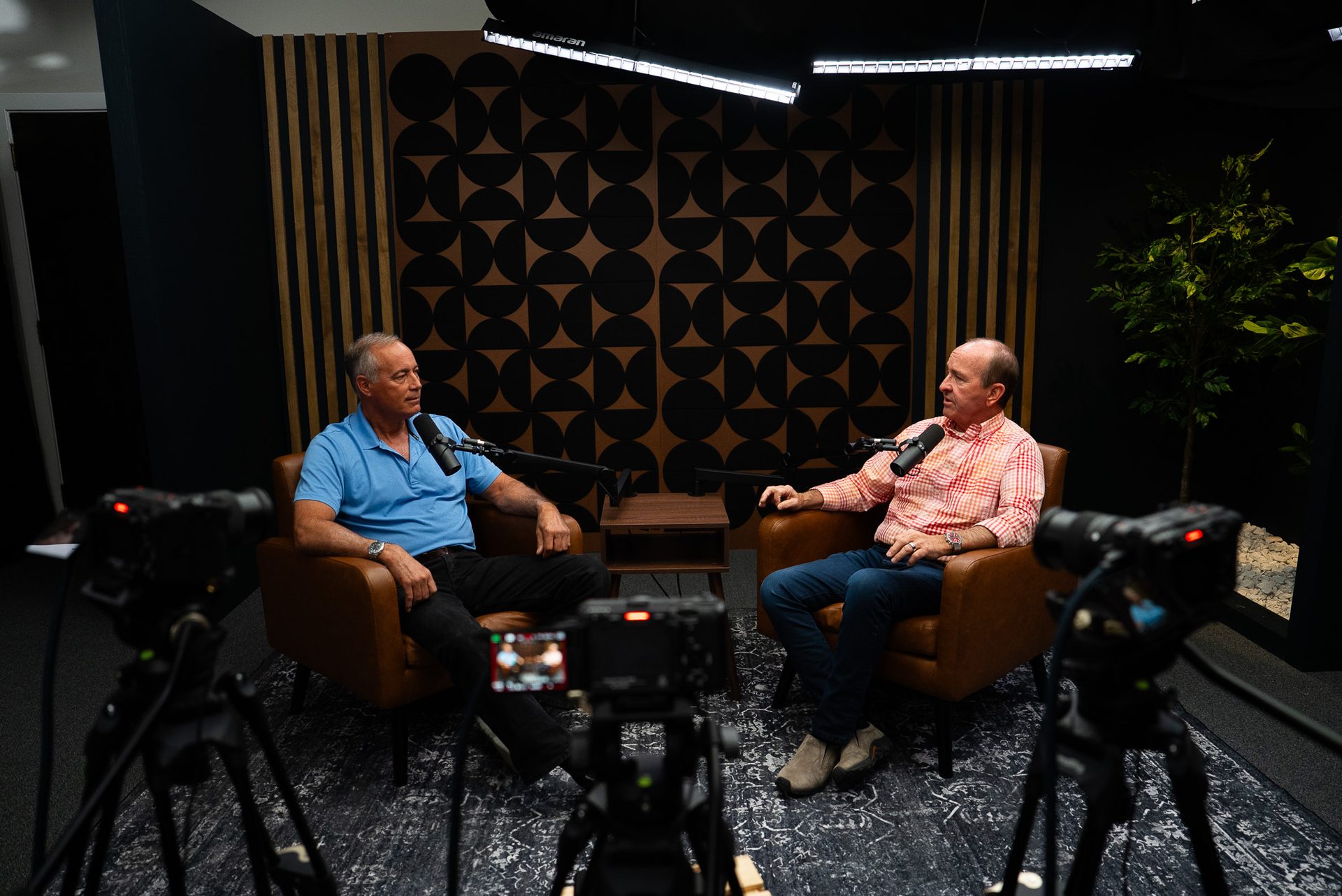
A studio-recorded or studio-assisted webinar already has the camera angles and audio separation a repurposing workflow depends on. That's the difference between editors fighting the footage and editors simply finding the best moments inside it.
A production partner can also turn repurposing from a one-time scramble into an actual content calendar, the same way Cincinnati Podcast Studio approaches podcast episodes: record once, build a month of distribution from it. If webinars are a regular part of how your team reaches prospects, the same thinking applies to course creation and training content, which benefits from the exact same repurposing discipline.
According to Wyzowl's video marketing research, most marketers report that video content directly increases engagement and time on page compared to text alone, reinforcing why a single long-form recording is worth repurposing rather than archiving.
Frequently Asked Questions
How many short-form clips can I get from one webinar?
Most 45-60 minute webinars produce 8-15 usable clips when the session was recorded with repurposing in mind. Webinars with more Q&A or audience interaction tend to yield more quotable, standalone moments.
Do I need to re-record anything to repurpose a webinar?
No, if the original recording has clean audio and a usable camera angle. If the webinar was captured as a flat screen recording with no face on camera, clips will look weaker, but the content can often still be reworked with captions and b-roll.
What's the ideal length for a webinar-to-social clip?
Most short-form clips perform best between 30 and 90 seconds. A clip should contain one complete idea, not a highlight reel of several points stitched together.
Should I publish all my webinar clips at once?
No. A drip schedule of 2-3 clips per week extends the life of a single webinar across a month or more, instead of spending the content value in one week.
Is repurposing a webinar different from repurposing a podcast episode?
The workflow is similar, but webinars often need more editing attention because slides and screen shares compete with the speaker on camera. Isolating moments where the speaker is the clear visual focus makes the strongest clips.
Turn Your Next Webinar Into a Month of Content
If your webinars are currently a one-time event instead of a recurring content source, that's a production problem, not a content problem. A professionally recorded webinar gives editors the angles and audio to actually build a short-form library from, and a content strategy partner can help turn that library into a consistent publishing calendar.
Curious what that looks like for your next session? Book a Discovery Call with Cincinnati Podcast Studio, or hear how this plays out in practice on the Cincinnati Business Podcast. For questions before then, contact our team directly.