
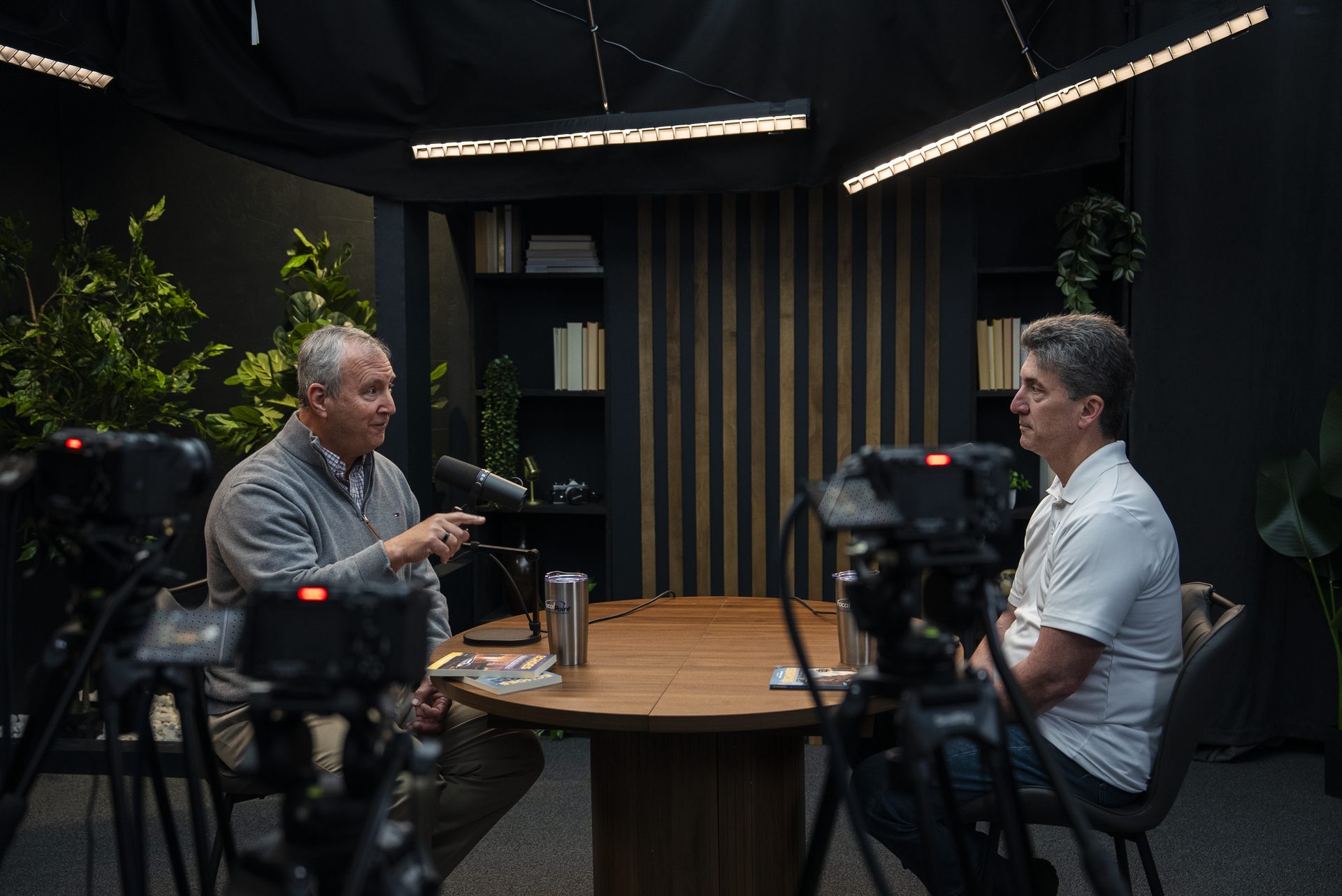
Online Course Recording Checklist: Before, During & After
The Online Course Recording Checklist Every Subject-Matter Expert Needs
You've built the curriculum. You've booked the studio. You've cleared your calendar. And then you show up on recording day to discover your slides aren't finalized, your wardrobe is wrong for camera, and nobody confirmed which lessons needed screen-share capture. The session recovers — but you lose two hours you didn't have.
An online course recording checklist solves this before it starts. It's the difference between a smooth one-day record and a two-day scramble. We've run enough of these sessions at Cincinnati Podcast Studio to know exactly where things go sideways, and this checklist is built around those pressure points.
Whether you're recording your first course or your fifteenth, working from a structured checklist reduces retakes, lowers editing costs, and protects your energy for what matters most: your delivery.
Quick Answer
An online course recording checklist covers three phases: pre-production (script, slides, wardrobe, studio booking), recording day (gear check, sound check, lesson flow, take notes), and post-production handoff (file naming, review notes, delivery deadline). Working from a structured checklist cuts retakes, lowers editing costs, and helps you capture more content in less time.
Why a Checklist Changes the Recording Outcome
Most recording problems aren't technical — they're preparation problems. The camera and audio gear work fine. What fails is the expert showing up without a finalized lesson structure, or without knowing they needed to bring their own slide clicker, or realizing halfway through Module 3 that two lessons overlap and one of them needs to be re-recorded.
A checklist doesn't mean you're being precious about the process. It means you're protecting your time on camera. At online course video production sessions we run here, the clients who prep with a checklist finish faster, deliver cleaner takes, and spend less in post-production. That's not a coincidence — it's the math of preparation.
Three things a checklist protects:
- Your energy. Decision fatigue on recording day is real. Every logistical question you answer in advance is one less thing competing with your performance.
- Your budget. Retakes cost time. Studio time costs money. Editing time costs more. A missed prep step can turn a one-take module into a three-take module — multiplied across a full course, that adds up fast.
- Your editor. A disorganized handoff creates a disorganized edit. File naming, take notes, and delivery expectations set on recording day make the entire post-production process faster and more predictable.
Phase 1: Pre-Production — What to Do Before Recording Day
Pre-production is where most of your recording problems are either solved or created. The goal here is to arrive at the studio with every decision already made so your time on camera is 100% focused on teaching.
Script or Outline Every Lesson
You don't need a word-for-word script, but you do need more than a vague idea of what you're going to say. At minimum, bullet-point the key concepts, examples, and takeaways for each module. For lessons where precision matters — definitions, step-by-step processes, legal or compliance content — write it out fully.
A hybrid approach works well for most experts: script your intro, outro, and any sections where exact wording is important; outline the rest. This gives you the structure to stay on track without reading to the camera.
Design and Finalize Slides
If any of your lessons use screen-share or slide support, those assets need to be complete before recording day — not "mostly done." Slides that need last-minute fixes create delays and sometimes force reshoots when the edits change the flow of the lesson.
Send your slide deck to your production team in advance so they can confirm screen-share capture is configured and tested before you arrive.
Confirm Wardrobe
Solid colors in muted, non-white tones read best on camera. Avoid busy patterns, reflective fabrics, and anything with logos or branding that could date the footage. Plan and lay out your wardrobe the day before recording — not the morning of. If you're recording multiple days, plan outfits for each day so continuity looks intentional, not accidental.
Send Your Lesson List to the Studio
Before recording day, share your full lesson list — including which modules need screen-share capture, which need B-roll, and any special setups required. This lets the production team prep the right configuration before you arrive. If you're recording at Cincinnati Podcast Studio, this advance notice is how we make sure your day starts on time rather than in setup mode.
Use your lesson list to set a realistic recording pace. If you have 12 modules and 6 hours of studio time, you know you're averaging 30 minutes per module — including setup, takes, and any quick review. That math tells you whether your prep is sufficient or whether you need to trim.
Phase 2: Recording Day — What to Do at the Studio
Recording day goes well when your only job is to show up and teach. Everything else should already be handled. Here's how to make sure it is.
Arrive Early
Plan to arrive 15–20 minutes before your first scheduled take. This gives you time to settle in, do a sound check, review your first lesson, and deal with any small logistics without cutting into camera time. Rushing to the set is a quick way to have a shaky first take that sets the wrong tone for the day.
Test Slides and Screen Share Before the First Take
If any lessons involve on-screen content, test the screen-share capture before you record anything. Confirm the font size is readable, the slides advance correctly, and the capture is framed the way you want it. This is a five-minute check that prevents a two-hour reshoot.
Record Intro and Outro Separately
Record your course intro and outro as standalone segments — separate from the module lessons. This gives your editor the flexibility to swap in an updated intro if your course evolves, add branding elements, or adjust the opening without touching lesson content. It's a small structural choice that pays dividends in post.
Mark Good Takes and Rough Takes in Real Time
As you record, get in the habit of verbally flagging your takes. A simple "that's the one" after a clean take, or "let's do that again" before a restart, gives your editor clear navigation points in the raw footage. If you make a significant mistake mid-take, pause, say "cut," and restart cleanly from the nearest sentence break. Don't try to salvage a take by stumbling through to the end — a clean restart is always faster to edit.
Capture B-Roll if Needed
If your course references physical materials — a whiteboard, printed frameworks, a prop relevant to your subject — block time at the end of your recording day to capture that B-roll. It's much harder to recreate after the fact. A quick list of the B-roll shots you need, prepared in advance, keeps this from becoming an afterthought.
If you're also creating short-form video repurposing clips from your course material, flag those segments during recording so the production team knows which takes are candidates for social distribution.
Phase 3: Post-Production Handoff — After the Camera Stops
How you hand off the recorded material determines how smoothly your edit goes. A clean handoff takes 30 minutes on recording day and saves hours in post.
Name Your Files Correctly
Raw files should be named by module number and lesson title — not by camera timestamp. A naming convention like M01_L01_Introduction.mp4 makes the edit infinitely easier to navigate, especially for long-form courses with 20+ files. Confirm file naming with your production team before they start exporting.
Write Review Notes Within 48 Hours
While the recording session is fresh, write a brief review note covering: which takes are approved, which sections need corrections, any graphics or callouts that need to be added, and whether any lessons need a pickup shot. Send this to your editor within 48 hours. The longer you wait, the more detail you lose — and the more back-and-forth you create during the edit.
Set a Final Delivery Deadline Before You Leave
Agree on a final delivery date before the studio session ends. This anchors your post-production timeline and gives your editor a clear target. If you're launching the course on a specific date, count backward from that launch to confirm the timeline is realistic. Editors can't create time that isn't there.
For teams in the Greater Cincinnati and Northern Kentucky area working through our full-service production model, we handle the delivery packaging and compression specs so you're not making technical decisions in a vacuum. Book a discovery call to talk through what your handoff process looks like end-to-end.
What Your Production Partner Should Handle for You
If you're working with a professional production team, there's a clear line between what you bring to the session and what they manage. Knowing that line lets you stay focused on teaching instead of managing logistics you're not equipped to handle in the moment.
Your production partner should own:
- Studio setup and lighting. Camera positioning, lighting temperature, set dressing, background configuration — these are technical decisions that affect how your course looks and should be handled by people who do this every day.
- Audio monitoring. A trained audio engineer monitoring your levels in real time catches problems before they become reshoots. HVAC rumble, phone vibrations, mic handling noise — these are invisible to you on set and obvious in the edit.
- Multi-camera switching. If your course uses multiple camera angles for visual variety, your production partner manages the live switch so you don't have to think about it. You teach; they direct.
- File export and delivery packaging. Compression settings, delivery specs, file naming conventions — let the production team handle the technical handoff so you receive a clean, organized package you can send directly to your LMS or editor.
This division of responsibility is the core of what we do at Cincinnati Podcast Studio. You show up prepared with your checklist handled; we handle everything else. It's the same model that powers the Cincinnati Business Podcast and dozens of client course productions we've run through the studio.
If you're in Cincinnati or Northern Kentucky and building a course program, that model — expert shows up, studio handles the rest — is what makes batch recording an entire course in a single day actually achievable. Our content strategy consulting team can also help you structure your curriculum before recording day so the session itself runs as efficiently as possible.
Frequently Asked Questions
How long does it take to record an online course?
Most experts record 8–12 modules in a single studio day when they arrive fully prepared. A structured checklist keeps you on track and minimizes the retakes that eat into your time. Longer, more complex curricula may require two days, but the prep process is the same.
Do I need a full script or can I work from an outline?
Either works. A full script prevents rambling and speeds editing. A tight bullet-point outline gives more natural delivery. We recommend a hybrid: script your intro, outro, and key definitions; outline the rest. Test your delivery style in advance so recording day isn't the first time you've practiced.
What should I wear when recording a course?
Solid colors in muted, non-white tones read best on camera. Avoid busy patterns, reflective fabrics, and anything with logos that could date the footage. Decide your wardrobe before recording day — not the morning of. If you're recording across multiple days, plan outfits for each day so continuity looks intentional.
What files should I send to my editor after recording?
Send raw video files named by module and lesson number, your slide deck, any on-screen assets referenced during the lesson, and written review notes flagging corrections or graphics needed. A clean, labeled handoff saves hours of editorial back-and-forth.
Can I record multiple course modules in one studio session?
Yes. Most of our clients batch-record a full course in one or two studio days. The key is having all lessons structured and slides finalized before you arrive so your time on camera is focused entirely on delivery, not logistics. Our guide on course video production covers how to structure a batch recording day in more detail.
What do I do if I make a mistake mid-recording?
Pause, say a clear marker word like "cut" or clap once, then restart from the nearest clean sentence break. Your editor will find these markers in post. Do not try to salvage a take mid-sentence — a clean restart saves editing time and money every time.
The Checklist Is the Shortcut
Every client who's walked into the studio underprepared has walked out wishing they'd had this checklist two weeks earlier. It's not about being overly cautious — it's about making the recording day as efficient as possible so your expertise translates cleanly onto camera without logistics getting in the way.
Pre-production determines recording day. Recording day determines post-production. Post-production determines your launch timeline. A checklist at the front of that chain pays dividends at every step after it.
If you're ready to record your course with a team that handles every technical detail so you can focus on teaching, start with a discovery call with Cincinnati Podcast Studio. We'll walk you through exactly what your recording day looks like, what we handle, and how to get your curriculum camera-ready. You can also explore our full resources hub or contact our team directly with questions.
Video podcast production, webinar production services, and short-form video repurposing are also available if your content strategy extends beyond the course itself.