How to Record a Webinar With Multiple Speakers: A Pro Guide
How to Record a Webinar With Multiple Speakers
Adding a second or third speaker to a webinar doesn't just double the complexity — it multiplies it. Every additional person means another microphone, another camera angle, another voice to balance, and another human who can go off-script, lean too far from the mic, or look somewhere other than the camera.
The good news: with the right setup and a clear format, multi-speaker webinars are straightforward to produce. The bad news: most teams try to run a panel discussion with a single shared mic and one laptop camera — and the result looks and sounds exactly like that.
This guide walks through how to set up, prep, and record a webinar with multiple speakers so that the final product is watchable, listenable, and worth your audience's time.
Quick Answer
To record a webinar with multiple speakers, you need dedicated microphones for each person, consistent camera framing for each participant, and a clear format — panel, interview, or co-presentation. The biggest mistake is sharing one mic or one camera angle. With the right setup, four people can record a polished, broadcast-quality webinar in a single session.
Why Multi-Speaker Webinars Are Harder to Pull Off
A single-speaker webinar is a straight line: one mic, one camera, one voice. Add a second speaker and you've introduced a variable — two people moving, talking at different volumes, potentially speaking over each other. Add a third or fourth and you're managing a small production.
The three friction points that derail most multi-speaker webinars:
- Audio inconsistency. Different mics, different distances, different vocal volumes. If you don't set individual gain levels before recording, one speaker will be too quiet and another will clip. Audiences tolerate a lot — bad audio isn't one of them.
- Camera framing. A wide shot that fits everyone often makes each individual too small to read clearly. Close-up cuts require either multiple cameras or stopping to reframe between segments, which kills momentum.
- Format discipline. Two people can improvise the flow. Four people without a clear moderator and structure turn a 45-minute webinar into 90 minutes of crosstalk and tangents.
None of these are unsolvable — but they need to be addressed before you hit record, not during editing.
The Four Speaker Formats (and When to Use Each)
The format you choose shapes every other decision: how many mics, how many cameras, what the moderator does, and how the content gets used afterward. Pick the one that fits your audience and content — not the one that's easiest to set up.
Co-Presentation (Two Presenters, Shared Slides)
Two people presenting together, alternating sections of a deck or demonstration. Works well for product walkthroughs, training modules, and educational content where one person is an expert and the other is the facilitator. Requires clean handoffs and slide coordination.
Panel Discussion (3–4 Experts, Moderator-Led)
The most common format for thought leadership webinars. A moderator drives the questions; panelists respond from their area of expertise. This is the hardest format to manage technically — more mics, more camera angles, more personalities — but it produces the most usable short-form content because every speaker gives you distinct clips.
Interview / Q&A (Host + One Guest)
Two people in a structured conversation. The simplest multi-speaker format. Functions almost identically to a video podcast interview, which means the same setup that supports video podcast production supports this format. Good for deep-dive topics where one expert carries most of the content.
Fireside Chat (Two Speakers, Conversational)
No slides, no script, no formal structure. Two knowledgeable people talking through a topic in front of an audience. Feels lower-stakes but actually requires more preparation — both speakers need to know the topic deeply enough to riff without going off the rails. Best for thought leadership from senior executives or well-known subject matter experts.
Audio Is the Biggest Challenge — Here's How to Handle It
If there's one place to spend your preparation time, it's audio. Bad video is distracting. Bad audio is a reason to close the tab.
One microphone per speaker. This is not optional. Shared mics introduce room noise, level inconsistency, and moments where someone speaks and nobody picks them up clearly. Every speaker needs their own dedicated mic — ideally a cardioid dynamic or condenser mounted at a consistent distance from their mouth.
Set individual gain levels before you start. Have each speaker say a few sentences at normal volume while you monitor and adjust. You're looking for levels that peak around -12 to -6 dB — enough headroom to handle louder moments without clipping. Don't set it and forget it; check again right before recording begins.
Dynamic mics handle variation better than condensers. In a room with multiple speakers, dynamic mics reject more ambient noise and are less sensitive to the small differences in how each person holds or positions themselves relative to the mic. They're more forgiving, which matters when you can't micromanage four people simultaneously.
Monitor the audio feed in real time. Someone needs to be listening through headphones during the session — not watching the video, listening to the audio. Level drops, unexpected reverb, and one speaker going off-mic are all things you catch in the moment and fix in seconds, versus hours in post if you miss them.
If you're working with professional webinar production support, a dedicated audio engineer handles all of this — individual mic checks, real-time monitoring, level matching across speakers. For a self-run recording, designate one person on your team to own audio the entire session.
Camera Framing and Visual Setup for Multiple People
Audio is the floor — you need it to be good. But video is what makes a multi-speaker webinar worth watching instead of just listening to. The goal is to capture every speaker clearly without the production looking like a Zoom call from 2020.
Start with a wide shot. A wide shot that captures the full group establishes the spatial relationship between speakers and gives editors a clean cut-away option. It also gives the audience context — they know who's in the room and where everyone is sitting before the conversation starts.
Add individual close-ups for each speaker. This is where multi-camera setups earn their keep. A dedicated camera angle per speaker means you can cut to the person who's talking without stopping the session to reframe. If you're working with a single camera, you're either locked to the wide shot or you're stopping to adjust — neither is ideal for a live or live-style recording.
Consistent background and lighting across all seats. Four people sitting in front of four different lighting conditions look like four separate Zoom calls spliced together. A professional studio solves this by default — every seat has the same lighting rig, the same background, the same camera-to-subject distance. Self-built setups need to deliberately replicate this, or the visual inconsistency will undercut the credibility of the content.
Seated arrangements are easier to manage than standing. Seated speakers stay in frame, stay in mic range, and are easier to light consistently. Standing panels or walk-and-talk formats require constant camera adjustments and are significantly harder to produce cleanly without dedicated camera operators.
Pre-Recording Checklist for Multi-Speaker Webinars
Most multi-speaker recording problems are prep problems. Run through this before the session begins:
- Format confirmed. Everyone knows the structure — who moderates, in what order, how long each segment runs.
- Mic check complete. Each speaker tested at normal speaking volume. Levels set individually. No one's sharing a mic.
- Camera angles set. Wide shot framed and focused. Individual close-ups (if using multiple cameras) dialed in. Recording confirmed running on all cameras.
- Speakers briefed. Mic placement (don't touch the mic once it's set), on-camera posture (sit back slightly, don't lean in and out), and eye line (look at the camera when speaking, not at the screen).
- Test segment recorded and reviewed. Run two minutes of mock conversation. Watch and listen back before the real session starts. Catch problems here, not in post.
- Backup recording running. Local recording on a second device or recording software in addition to your primary capture. Multi-speaker sessions are long — you don't want a single point of failure.
- Post-session use planned. If you're going to pull short-form video clips from the session, flag the best moments during recording. It's far faster than rewatching hours of footage later.
How a Professional Studio Solves All of This
The setup described above — individual mics, multiple cameras, real-time audio monitoring, a dedicated technical operator — is exactly what a professional production studio runs by default. For teams recording a one-off multi-speaker webinar, building that infrastructure from scratch takes time and budget. For teams doing this regularly, it's a recurring cost and operational burden.
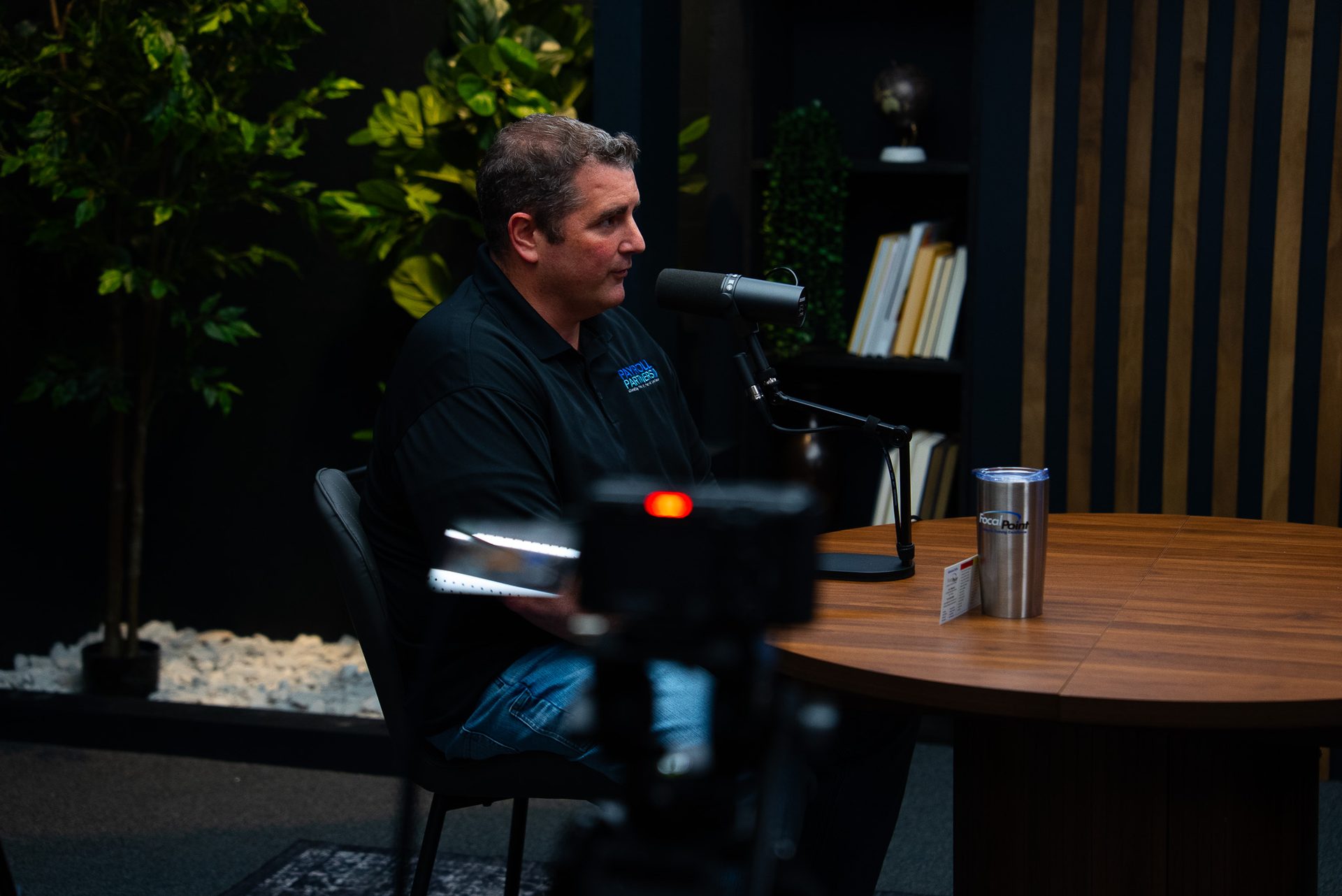
At Cincinnati Podcast Studio, we're built for up to four people on camera simultaneously. The studio handles the gear, the setup, the monitoring, and the post-session file delivery. Your speakers walk in, sit down, and talk. We handle the rest.
That's also why a studio session produces more usable content than a self-run recording. The production quality is high enough from the start that the footage can go directly into a webinar edit, a highlight reel, a training library, or short-form clips for LinkedIn and YouTube — without remediation work to fix audio, reframe shots, or clean up inconsistent lighting.
If your team is in Cincinnati or Northern Kentucky and you're planning a panel discussion, corporate training webinar, or thought leadership recording, a Discovery Call is the fastest way to see whether the studio is the right fit. We'll ask about your format, your speakers, and your content goals — and give you a clear picture of what a session would look like before you commit.
You can also hear what a multi-speaker format sounds like in practice by listening to the Cincinnati Business Podcast, which features B2B leaders from across the region in the same studio environment.
Frequently Asked Questions
How many speakers can you have on a webinar?
Most platforms support unlimited speakers, but practically 2–4 speakers works best for watchability and audio management. More than four people on camera at once makes framing, audio levels, and turn-taking noticeably harder to manage.
What's the best microphone setup for a panel webinar?
One dedicated microphone per speaker — ideally a dynamic handheld or desktop mic with a cardioid pattern. Shared mics or omnidirectional room mics create inconsistent levels and pick up too much room noise.
Can we record a multi-speaker webinar in person at a studio?
Yes — in-person multi-speaker recording at a professional studio is often cleaner than remote recording. Everyone shares the same room, tech, and lighting, so you avoid the audio sync issues and visual inconsistency that come with remote setups.
How do you handle different speaker volumes in a webinar?
Set individual gain levels for each mic before you start. Dynamic mics are more forgiving of level variation than condensers. In post-production, audio normalization can even out remaining differences — but pre-recording level checks are far more effective.
What's the difference between a webinar panel and a podcast interview?
Format and audience interaction. A podcast interview is typically two people in conversation, published asynchronously. A panel webinar usually has 3–5 speakers, a moderator, and a live audience with Q&A — though both can be recorded in a professional studio setting.
Do all speakers need to be in the same room?
Not necessarily. Hybrid formats — some speakers in-studio, some remote — work well, but require a more robust tech setup (reliable internet connection in-studio, a clean feed to remote speakers, and a way to monitor their audio levels live). A fully in-person session is simpler to manage.
Related Resources
- Professional Webinar Production — what a studio session includes and who it's for
- Video Podcast Production — how the same studio setup supports long-form interview formats
- Course Creation Services — recording multi-module educational content in one session
- Content Strategy Consulting — figuring out the right format and cadence before you start recording
- Podcast Idea Research — for teams still deciding between a podcast and a webinar series
Ready to Record a Multi-Speaker Webinar?
If you're planning a panel discussion, corporate webinar, or thought leadership recording in the Cincinnati or Northern Kentucky area, let's talk through what you're building.
Book a Discovery Call — we'll ask the right questions about your format, your speakers, and your content goals, and show you exactly what a studio session would look like. Or contact us with questions.