
How to Record a Professional Webinar | CPS Guide
How to Record a Professional Webinar That Actually Builds Authority
Webinars have become one of the most direct ways for B2B organizations to demonstrate expertise, generate leads, and build trust at scale. But most recorded webinars look and sound exactly like what they are: someone's hastily arranged home office with a spotty connection and an echo problem.
That gap — between the value of your content and the quality of its presentation — is where authority gets lost.
This guide covers what it actually takes to record a professional webinar, from format choices to technical setup to what happens with the recording after the live event is over.
If you want a webinar recording that reinforces your credibility rather than undermining it, the key decisions happen before you go live — not during.
Quick Answer
To record a professional webinar, control the variables that hurt credibility: audio clarity, consistent lighting, a clean background, and a camera that delivers 1080p or better. A dedicated studio space solves most of these in one step. Beyond the live event, treat the recording as a durable content asset — not an afterthought — with a plan for how it will be used, shared, and repurposed after the session ends.
Why Most Webinar Recordings Fall Flat
The live webinar often feels fine. You were in the moment. Attendees were engaged. But then you watch the recording and the problems are obvious: the background is distracting, the audio drops mid-sentence, the screen share cuts off someone's camera feed.
The issue is that most webinars are designed for the live experience only. The recording is an afterthought. And since recordings often live on your website, your YouTube channel, or in a follow-up email to hundreds of leads, that afterthought ends up doing a lot of work for your brand — for better or worse.
Professional webinar production treats the recording as the primary deliverable, not a side effect of going live.
What You Need Before You Hit Record
1. A Clear Format Decision
Before touching any technical setup, decide what kind of webinar you're running:
- Solo presentation: One subject-matter expert, slides optional, tight delivery. Works well for training, demos, and thought leadership.
- Interview or conversation: Host plus guest, no slides required. Feels more dynamic on camera. High carry-over to video podcast format.
- Panel discussion: Three or four experts, moderated. High credibility ceiling, but harder to produce cleanly without the right setup.
Format drives everything downstream: how many cameras you need, how you manage audio, what the recording looks like edited versus raw.
2. Audio — The Non-Negotiable
Viewers will forgive a slightly dark frame. They will not forgive audio that sounds like a speakerphone. Poor audio signals that you don't take the content seriously — and by extension, neither should they.
At minimum: a USB condenser microphone, a quiet room, and no ceiling fan. Better: a treated acoustic space with directional microphones where each speaker has their own input.
3. Lighting That Reads on Camera
Natural light from a window looks great until a cloud passes or someone moves two feet to the left. A simple key light — even a ring light positioned correctly — eliminates the guesswork and keeps your frame consistent throughout a 45-minute recording.
4. A Camera That Delivers 1080p or Better
Built-in laptop webcams top out at passable. For a recording that holds up as a long-term content asset, you want a dedicated camera that shoots 1080p or 4K. If you're using a studio space, this is handled for you.
5. A Recording Plan — Not Just a Platform
Tools like Zoom, Riverside, StreamYard, and Restream all handle the live broadcast. But recording fidelity varies significantly across platforms, and most record to the cloud with compression that shows up the moment you try to repurpose the footage. Know where the recording is going before you start.
How to Make Your Webinar Look Professional on Camera
The visual quality of a webinar comes down to four variables: background, light, frame, and consistency.
- Background: Solid or minimally branded. A cluttered background competes with your face for the viewer's attention. A branded studio environment reinforces your professionalism without you having to say a word.
- Light: Front-facing, diffused, and consistent. Never sit with a bright window behind you.
- Frame: Eyes at the upper third of the frame, camera at eye level or slightly above — not looking up from a laptop on a desk.
- Consistency: Every presenter should look like they belong in the same production, not five different home offices stitched together.
One practical option: record your webinar from a single professional location and bring remote participants in through Riverside or StreamYard. You get a polished primary frame, and the production team controls what the recording looks like throughout.
Common Webinar Recording Mistakes to Avoid
- Recording only to the cloud: Cloud recordings are compressed. Always have a local or high-quality secondary recording running in parallel.
- No separate audio tracks: If you're editing afterward, you want clean isolated audio per speaker — not a mixed-down feed from Zoom.
- Optimizing only for the live chat: The live chat is temporary. The recording is permanent. Optimize for the viewer who watches six months from now.
- Skipping the intro and outro: Treat the recording like a produced video. A clean open and close makes it look intentional, not like someone accidentally hit record.
- No repurposing plan: If you're recording 45 minutes of expert content and only using it once, you're leaving real value on the table.
How to Repurpose Your Webinar Recording
A professional webinar recording is a content asset, not just an event archive. With the right production quality, one 45-minute webinar can generate:
- 3-6 short-form video clips for LinkedIn, YouTube Shorts, or Instagram Reels
- A standalone long-form YouTube video
- A blog post or thought leadership article based on the transcript
- Email nurture content for the weeks following the event
- Source material for an online course if the content is instructional
This is the logic behind how CPS approaches content production: treat every recording session as a content engine, not a one-time event. If you want help building that kind of system for your organization, content strategy consulting is a solid starting point.
Webinar vs. Podcast: Which One Fits Your Goals?
Video podcasts and webinars overlap significantly in format and production — the primary difference is intent. Webinars tend to be event-driven, often gated, and optimized for a live audience. Podcasts are always-on, typically ungated, and optimized for ongoing discoverability.
Many B2B organizations run both, using the webinar for demand generation and the podcast for brand authority, often producing them from the same studio session. If you're working out which fits your content strategy, a Discovery Call is where we usually start that conversation.
Recording a Professional Webinar in Cincinnati and Northern Kentucky
If you're a B2B organization in Greater Cincinnati or NKY and you've been running webinars from home offices or generic Zoom backgrounds, you know what the ceiling looks like. Cincinnati Podcast Studio gives you a production-ready environment — professional lighting, broadcast-quality audio, 4K cameras, and a team that handles the technical side so you can focus on delivering the content.
We work with executives, consultants, and marketing teams who want their webinar recordings to carry the same authority as the expertise behind them. Learn more about our webinar production services, or see how other Greater Cincinnati professionals are building their authority on the Cincinnati Business Podcast.
Frequently Asked Questions
Do I need a studio to record a professional webinar?
Not necessarily — but a studio eliminates the most common production problems at once: inconsistent lighting, poor audio, distracting backgrounds, and low-resolution cameras. For a one-time webinar, a good microphone and a clean room can get the job done. For recurring webinars that live on your website or go out to thousands of leads, a studio environment is a better investment than patching those variables individually over time.
What equipment do I need to record a webinar?
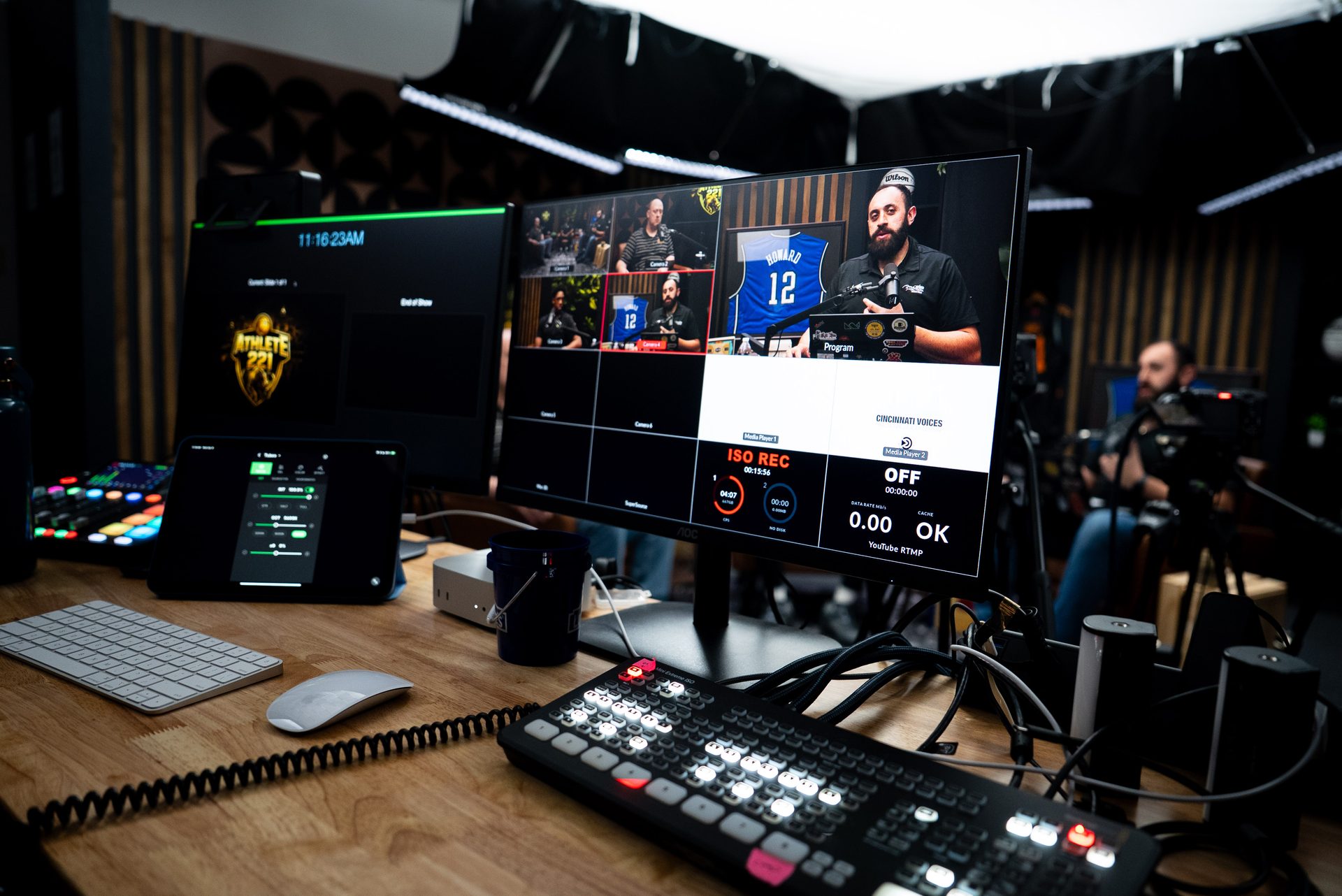
At minimum: a dedicated USB microphone, a 1080p camera (not a built-in webcam), a front-facing light source, and a clean background. For higher production value: a professional studio with treated acoustics, broadcast cameras, a production switcher, and a team to manage the technical side while you present.
How long should a business webinar be?
Most B2B webinars run 30-60 minutes, with 45 minutes being a common sweet spot. Solo presentations can run shorter — 25-35 minutes — while panel discussions or in-depth educational sessions can extend to 60-75 minutes without losing an engaged audience. Keep it tight enough that there's no padding, but substantive enough that it's worth watching on-demand months later.
How do I turn a webinar into marketing content?
Start with a clean recording — cloud-compressed Zoom recordings are harder to work with in post-production. From a quality recording, you can extract short clips for social media, pull key quotes for graphics, write a blog post from the transcript, and build email sequences around the content. The more professional the original recording, the better every downstream asset looks.
Should I record a webinar live or pre-record it?
Both work. Live webinars create real interaction and urgency. Pre-recorded webinars give you full control over the final product and eliminate technical risk during the broadcast. Many organizations do both: record a polished version in advance, then host a live Q&A session around it. Either way, the recorded content is your most durable asset — and it deserves to look like it.
The Bottom Line
Recording a professional webinar isn't about having the most expensive gear. It's about controlling the variables that undermine credibility — and having a clear plan for what happens to the recording after the event is over.
If you want to see what a production-ready webinar setup looks like for your organization, book a Discovery Call. We'll walk through your goals, your format, and what it takes to make your next webinar recording something you're actually proud to share.