How Many Clips Can You Get From One Podcast Episode?
How Many Clips Can You Get From One Podcast Episode?
One of the most common questions B2B content teams ask when they start a podcast is whether it's actually worth the production effort. The answer often comes down to output math: how much content can one recording session realistically generate? The answer might surprise you.
A single podcast episode — recorded with intention — can produce 10 to 20 short-form clips ready for LinkedIn, Instagram, TikTok, and YouTube. That's weeks of social content from one conversation.
But "can" and "will" are different. How many clips you actually get depends on your format, your production setup, and how you structure the conversation from the start.
The Short Answer: What to Expect Per Episode
If you want a direct benchmark, here it is:
- DIY or audio-only setup: 3–8 clips per episode (limited by format, not content)
- Video podcast with basic editing: 6–12 clips per episode
- Professional video production with a clip workflow: 12–20 clips per episode
Episode length matters too. A tightly structured 30-minute show produces fewer natural breaks than an open-ended 60-minute interview. The format of the episode — solo commentary, guest interview, roundtable, Q&A — also directly affects how many clippable moments exist.
Most businesses that invest in short-form video production as part of their content engine are targeting the 12–20 range. That's not a stretch goal — it's a design decision.
What Determines How Many Clips You Get?
The raw number of clips you pull from an episode isn't random. It's the output of a few controllable variables:
1. Episode Length
More runtime means more opportunities for strong moments. A 45-minute interview will almost always yield more clips than a 20-minute solo segment. That said, longer episodes can also have more filler — the editing still requires judgment.
2. Conversation Structure
Freeform conversations are harder to clip than structured ones. When you design your episode format around distinct segments — a focused guest story, a teaching moment, a prediction — you're engineering clip-ready content instead of hoping it shows up.
3. Whether You're Recording Video
This is the single biggest factor most teams overlook. An audio-only podcast limits you to audiogram formats — a waveform over a static image. A video podcast studio setup gives you vertical cuts for Reels and TikTok, horizontal clips for LinkedIn and YouTube, and face-cam footage that drives significantly more engagement. If you're still recording audio-only and want to maximize clips, this is the first thing to change.
4. Your Post-Production Review Process
The clips don't find themselves. Someone has to watch the episode, identify the moments, and make editorial decisions about what's actually worth cutting. This is where a lot of DIY operations leave clips on the table — not because the moments aren't there, but because the review process isn't systematic.
5. Guest Quality and Preparation
Guests who come in with a point of view, a prepared story, or a contrarian take produce more clippable content than guests who speak in hedged, general terms. A pre-interview prep conversation with your guest — even 10 minutes — makes a measurable difference in how tight and quotable the episode ends up being.
The Types of Clips You Can Pull From a Single Episode
Not all clips are the same. A well-produced episode will yield several distinct clip types, each suited to a different platform and audience behavior:
The Hook Moment
The most surprising, provocative, or counterintuitive claim from the episode. Usually under 60 seconds. This is what gets shares. Think: "We doubled revenue by doing less content, not more." Short, clear, and designed to stop a scroll.
The Insight Drop
A concise, quotable expert statement — the kind of thing someone screenshots and sends to a colleague. Often a 30–45 second clip. Great for LinkedIn native video where a professional insight in plain language performs consistently.
The Story
A narrative arc from your guest that has a clear beginning, middle, and outcome. These tend to run 60–90 seconds and perform well on platforms where watch time matters — YouTube Shorts, Instagram Reels. The story format is harder to clip well but produces the highest engagement when done right.
The How-To
A guest walks through a specific step, framework, or process. These clips are useful and actionable, which makes them highly shareable in professional contexts. LinkedIn is the natural home for these.
The Reframe
A moment where the guest flips conventional wisdom or challenges a common assumption. Contrarian takes tend to earn comments and discussion on LinkedIn, which the algorithm rewards.
The Intro Tease
A pre-produced highlight clip used to promote the full episode before it drops. Usually 30–45 seconds, designed to create curiosity without giving everything away.
A single episode can realistically produce 2–3 of each of these types. That's where the 15–20 clip ceiling comes from — not padding, but genuine variety in what the conversation produced. To see what a structured clip workflow looks like in practice, the Cincinnati Business Podcast is a working example of how CPS approaches episode-to-clip production.
How to Record Your Podcast So More Moments Become Clips
The gap between "a few usable clips" and "15-plus clips per episode" is mostly a recording strategy decision. Here's how to close that gap:
Tell Guests Upfront You're Making Clips
When guests know their words will be distributed as short-form video, they naturally become more concise and quotable. It's not manipulation — it's giving them context so they can perform at their best. Most guests appreciate it because it means their ideas travel further.
Ask Shorter Questions
Long host questions eat clip time. If your setup takes 30 seconds, the clip either starts mid-question or you've burned a third of a 90-second clip on context. Tighter questions produce tighter answers. Practice getting your question out in under 15 seconds — ideally under 10.
Signal the Clip Moments During the Conversation
Good podcast hosts develop a habit of prompting clip-ready content in the moment. Phrases like "Give me the one-sentence version of that," or "What's the thing most people get wrong about this?" are intentional clip prompts. You're not manufacturing quotes — you're inviting the guest to be their most quotable self.
Use a Defined Episode Structure
When each episode follows a consistent format — intro, context-setting, main guest story, teaching moment, key takeaways, close — the editing team knows exactly where to look for each clip type. A consistent structure also makes your show easier to consume, which is a core part of building a loyal audience over time. If you're still building your episode format, consulting and strategy is a good place to start before you commit to a production cadence.
Record Video Even If You Publish Audio-Only
Video footage gives your editing team dramatically more options than audio alone. Even if you're not publishing a video podcast yet, recording video now means you can extract clips for social without having to re-record anything. It also gives you a natural upgrade path when you're ready to go video-first.
How CPS Handles Short-Form Clip Production in Cincinnati
At Cincinnati Podcast Studio, short-form clip production isn't a bolt-on feature — it's built into the production model from the start.
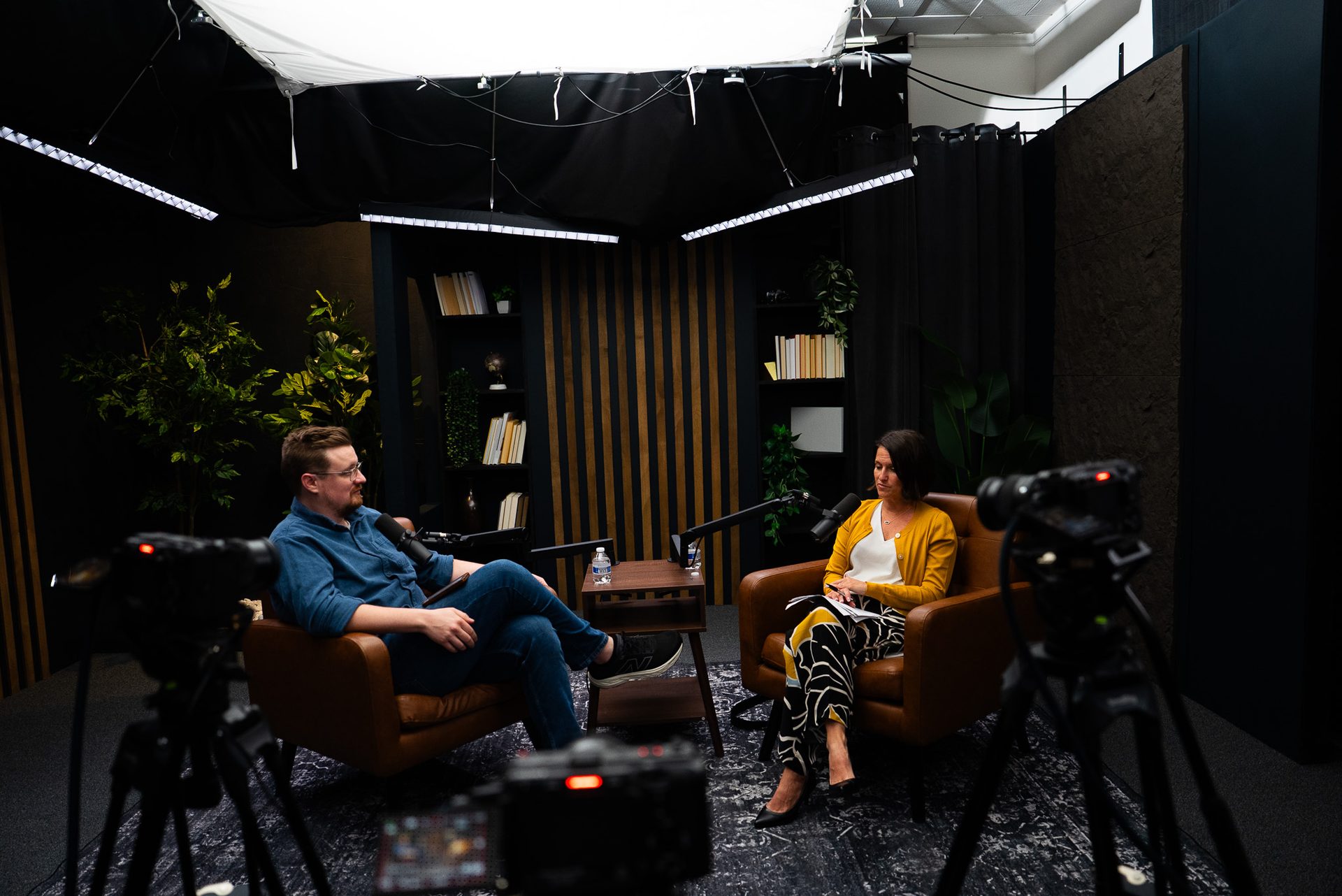
Every recording session at CPS uses a 4K multi-camera setup designed for both the long-form episode and the clip library. The format captures the kind of footage that actually performs on social: clean framing, professional lighting, controlled audio — not a conference room with a laptop camera.
After recording, the post-production team reviews each episode for strong moments across all six clip types described above. The goal isn't to hit a specific number — it's to surface every moment that earns a clip, then format it correctly for each platform. That means vertical cuts for Reels and TikTok, horizontal cuts for LinkedIn and YouTube Shorts, and captions on every clip so it performs in silent-scroll environments.
Most CPS clients see 10–20 clips delivered per session, depending on episode length and format. That's a meaningful content library from a single morning of recording — which is why the batch production model works so well for B2B teams. You can read more about how the model works on our short-form video page.
If you're in Cincinnati or Northern Kentucky and you're looking for a production partner that handles the full clip workflow — not just the recording — a Discovery Call is the fastest way to understand what your output could look like.
Frequently Asked Questions
How long should short-form clips from a podcast be?
Most clips perform best between 30–90 seconds. LinkedIn and YouTube Shorts favor 45–60 seconds. Instagram Reels can go up to 90 seconds for strong storytelling moments. Anything over 2 minutes tends to underperform as a short-form clip on social platforms.
Can I get clips from an audio-only podcast?
Yes, but your options are limited. Without video, you're working with audiogram formats — static or animated visuals paired with a waveform and captions. Video podcasts dramatically expand what you can do: you have the speaker's face, expressions, and environment to work with, which drives significantly more engagement on most platforms.
What platforms are podcast clips best suited for?
LinkedIn is the strongest platform for B2B podcast clips, especially short insights and expert takes. Instagram Reels and TikTok work well for stories and hooks. YouTube Shorts extend discoverability on your channel. The same clip can often be repurposed across all four with minor format adjustments.
Do I need a professional editor to get clips from a podcast?
Not strictly, but it makes a significant difference. AI clipping tools can identify moments automatically, but they often miss the nuance that makes a clip actually perform — the timing, the energy shift, the setup. A skilled editor who understands your brand and audience will consistently surface better clips than any automated tool.
How does CPS decide which moments to clip?
We look for moments where the guest says something unexpected, concise, or immediately useful to your audience — the kind of thing someone would forward to a colleague. We also look for self-contained stories, clear frameworks, and any moment where energy or pace shifts noticeably. The goal is clips that perform independently, not just teasers.
How long after recording do I get clips?
At CPS, clips are typically delivered with your full episode package as part of the production timeline. The turnaround depends on your service tier. Reach out to get specifics based on your production volume.
Ready to Maximize Every Episode?
The clips are already in your podcast episodes — most teams just don't have the workflow to get them out efficiently. The right production setup, a structured episode format, and a skilled post-production team can turn a single recording session into a month of social content.
If you want to see what that looks like for your business, start with a Discovery Call with our team. We'll walk through your current setup, your content goals, and what a realistic clip output looks like for your show format. Or explore our resources to get a clearer picture of how the production model works before you book a call.
For B2B teams in Cincinnati and Northern Kentucky, this is what it looks like to build a content engine — not just a podcast.