Course Video Production Cincinnati | CPS
Course Video Production in Cincinnati: How to Record Lessons That Actually Sell
If you're packaging expertise into an online course, the production quality isn't just aesthetics—it's part of the product. Bad audio and shaky video don't just look unprofessional; they signal to buyers that the content wasn't worth investing in. For consultants, coaches, and B2B teams in Cincinnati ready to launch a course the right way, course creation services at Cincinnati Podcast Studio take production off your plate entirely.
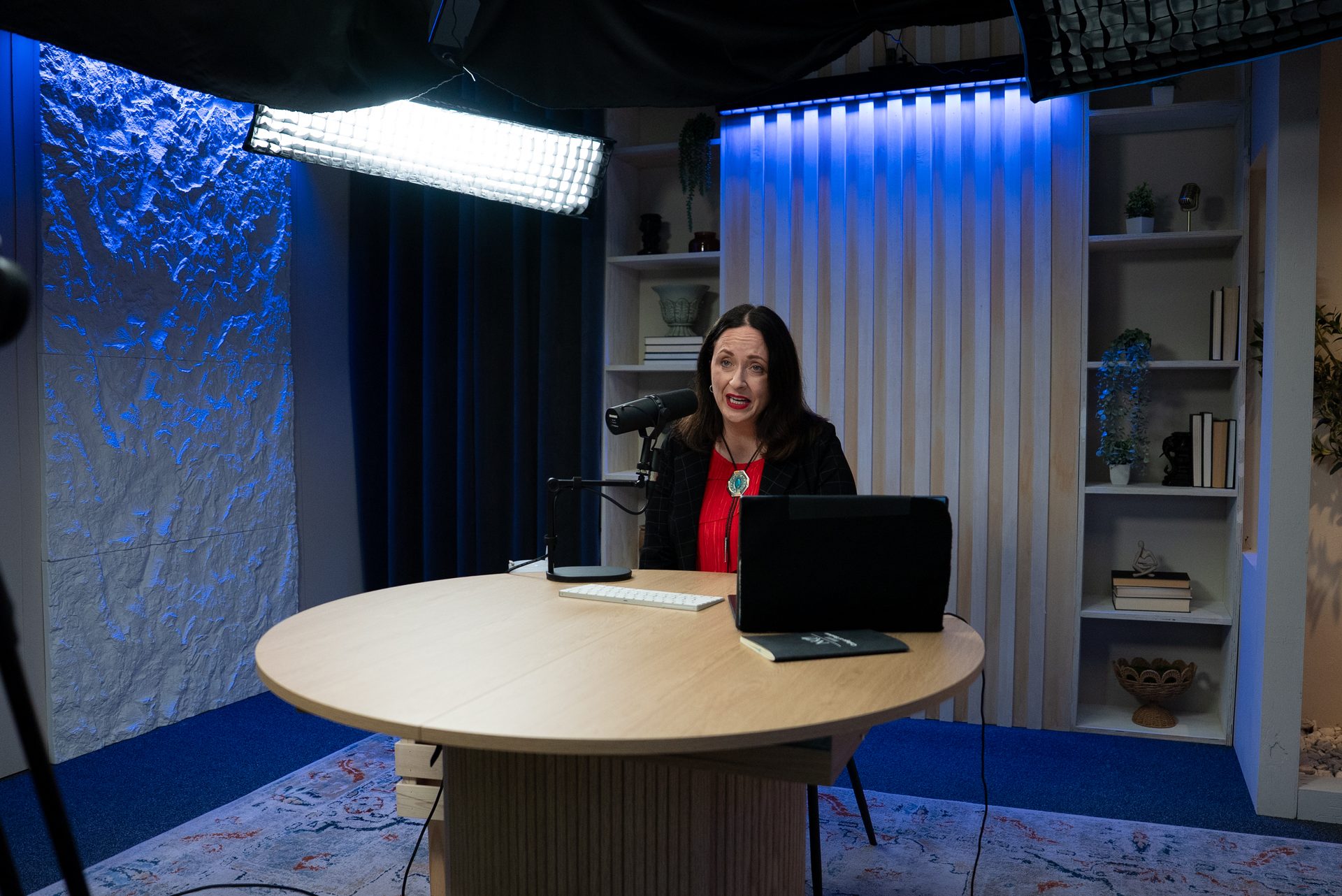
We've helped local experts record full multi-module courses in a single focused studio day—4K video, broadcast-quality audio, and a production team keeping the session on track from first module to last.
Quick Answer
Course video production in Cincinnati gives you a professional studio environment—4K cameras, broadcast audio, and controlled lighting—without buying gear or managing post-production. You show up with your content, record your lessons in a focused batch session, and we handle everything else. Most courses are recorded in one or two days at Cincinnati Podcast Studio.
What Is Course Video Production?
Course video production is the full-service process of recording, capturing, and delivering the video lessons that make up an online course. It covers everything from the physical studio environment to the technical setup to the production workflow that keeps you moving efficiently through your material.
At a professional level, that means:
- 4K cameras positioned and calibrated for your course format (talking-head, whiteboard, screen-share overlay)
- Broadcast-quality condenser microphones in a treated acoustic environment
- Professional lighting that eliminates shadows and keeps your image consistent across all modules
- A production team managing framing, audio levels, and session pacing so you focus entirely on teaching
What it's not: renting a ring light and a DSLR and figuring the rest out yourself. DIY setups introduce variables that degrade between sessions—room noise, lighting drift, inconsistent framing—and those inconsistencies make a finished course feel less polished than the content deserves.
Why Professional Video Production Makes or Breaks Online Courses
Audio quality is the single most cited reason people abandon online courses. Not weak content. Not a bad instructor. Audio they have to strain to hear or that cuts in and out. Once a student loses trust in the production, the content takes the blame.
Video quality matters for a different reason: perceived credibility. When the visual quality is consistent and clean across every module, buyers assume the course was built by someone serious. When it drops off—different backgrounds, different lighting, different audio quality between recording sessions—it looks like an afterthought.
The practical problem with DIY course recording is consistency over time. Module one recorded in January looks and sounds different from module seven recorded in March after you moved a lamp or upgraded your camera. A professional studio removes that variability entirely. Every session starts from the same baseline. Every module delivers the same quality.
If you're in the Greater Cincinnati or Northern Kentucky area and you're building a course you plan to sell, the production environment makes the difference between a course that converts and one that gets refund requests. A Discovery Call is the fastest way to scope what your course needs.
What a Course Recording Day at CPS Looks Like
Most course projects start with a pre-production call where we review your module list, estimate runtime, and identify any formats that need special setup—screen captures, presentation overlays, two-person interview modules, or demo footage.
On recording day, the session runs like this:
- Studio setup and sound check — cameras, mics, and lighting calibrated before you step in front of the lens. No wasted time once you're on camera.
- Module-by-module recording — you deliver each lesson while our team directs pacing, flags retakes, and keeps the session moving. Most experienced presenters find a groove after the first two or three modules.
- Rough-cut review option — for longer courses, we can pause for a quick review of early footage before continuing. This catches framing or delivery issues before you've recorded 20 modules.
- Post-production handoff — footage is organized by module and handed off for editing, graphics, and delivery to your platform.
The goal is always to walk out of the session with everything you need in the can. Reshoots are expensive. A structured production day prevents them.
Who Uses Course Video Production in Cincinnati
The clients who get the most out of a professional course recording day tend to share a few traits: they have deep expertise they've been delivering in-person for years, they're ready to package it at scale, and they don't want to spend six months learning video production to do it.
That typically looks like:
- B2B consultants packaging a repeatable framework or methodology into a sellable course
- Coaches building a signature program that can run without them on every call
- Corporate L&D teams recording internal training content that needs to look and sound consistent across the organization
- Entrepreneurs launching their first course and unwilling to let production quality undermine a strong content investment
Many of these clients also end up repurposing their course recordings. A full course module can yield short-form video clips for LinkedIn, excerpts for email sequences, or segments for a podcast series. The studio session does more than produce a course—it becomes a content asset library.
If your organization produces webinars or live trainings, webinar production at CPS can complement your course content with live-format recordings that keep the same production quality.
How to Prepare for a Course Recording Session
The most common mistake clients make is showing up with a topic and expecting the studio to do the scripting work. The production team handles everything technical. You handle the content. The cleaner your content going in, the better the result coming out.
Before your session:
- Outline every module. Know your intro, core points, and close for each lesson. You don't need word-for-word scripts, but you need talking points that keep you on track.
- Estimate module runtimes. This helps us schedule the day accurately and avoid rushing the back half of your course.
- Build slides and graphics before you arrive. If any modules reference decks, demos, or visual aids, have them ready in their final format. Last-minute edits on recording day kill momentum.
- Book a Discovery Call first. The Discovery Call is where we scope your module count, confirm your format needs, and make sure your recording day is structured for success.
If you're still in the early stages of deciding what your course should cover, our podcast idea research process applies just as well to course topic validation—helping you confirm demand before you invest in production. Our consulting and content strategy team can also help you structure a course that positions you as the go-to authority in your space.
For Cincinnati and Northern Kentucky-based experts: the advantage of a local studio isn't just convenience—it's the ability to schedule a pre-production walkthrough, adjust your module plan on the fly, and have a real team in the room who can flag a bad take before it becomes a post-production problem. That responsiveness doesn't exist with remote production options.
Guests on the Cincinnati Business Podcast have frequently noted how the studio environment changed the way they show up on camera. The same dynamic applies to course recording—when the room is set up for you, you perform differently.
Frequently Asked Questions
How many modules can I record in one day?
Most clients record 8–15 modules per day depending on lesson length and complexity. Courses with shorter, tighter lessons (5–10 minutes each) tend to move faster. We'll estimate your session needs on the discovery call.
Do I need to script every lesson?
You don't need a word-for-word script, but you should have a clear outline for each module. Knowing your talking points and transitions keeps pacing tight and reduces retakes.
What format do I receive the files in?
We deliver 4K video files ready for your course platform of choice—Kajabi, Teachable, Thinkific, or wherever you host. We'll confirm your platform requirements before the session.
Can CPS handle the editing and thumbnail graphics?
Yes. We can package editing and graphics into your production scope. Reach out via our Discovery Call to discuss your specific needs.
Do I need any video experience?
None required. Our team handles framing, audio levels, and lighting so you can focus entirely on teaching. Most first-time course creators are surprised how natural it feels on day one.
How is CPS different from renting a camera and a room?
A camera rental gives you equipment. CPS gives you a trained production team, controlled acoustics, 4K broadcast cameras, and a director keeping your session on track. The result is a course that looks and sounds like you invested in it—because you did, strategically.
Ready to Record?
Your expertise is worth a production that matches it. If you're building an online course in the Cincinnati area and want to record it right—without buying gear, building a home studio, or figuring out post-production—CPS handles the full production side.
Book a Discovery Call to scope your course recording project. Or contact us if you'd rather start with a few questions first. Either way, we'll make sure your course looks and sounds like the expert behind it.