
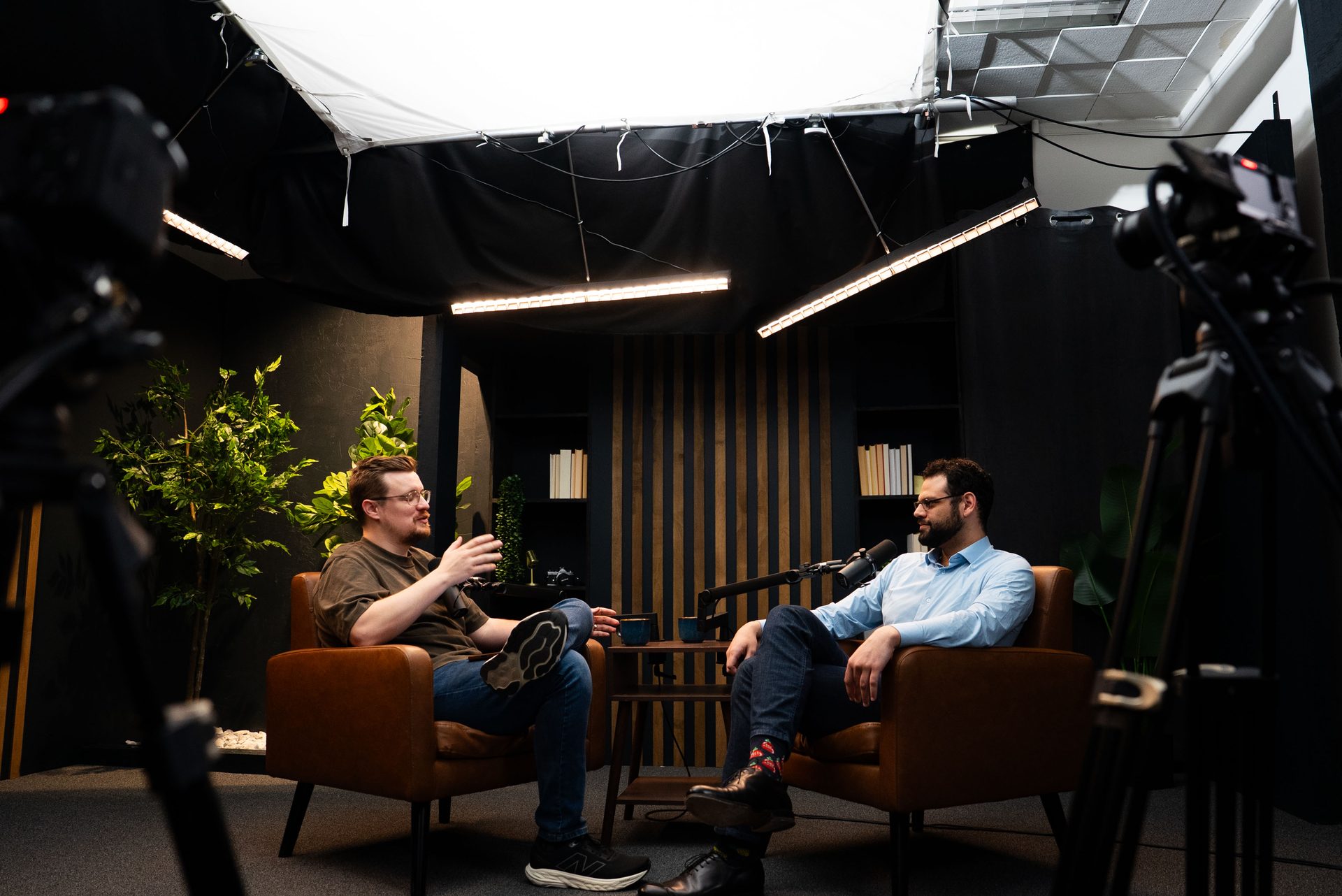
What Makes a Good LinkedIn Video?
What Makes a Good LinkedIn Video?
LinkedIn is the one social platform where business decision-makers actively watch video content during their workday. That's a meaningful opportunity — and most people waste it with shaky footage and no clear point. The bar for quality on LinkedIn isn't Hollywood. But it's higher than you think, especially in B2B.
Here's what separates the LinkedIn videos that build real business authority from the ones that get scrolled past in two seconds.
A good LinkedIn video has professional audio, clean framing, a compelling hook, one focused idea, and a clear next step — quality production signals credibility to every B2B decision-maker who sees it.
Quick Answer
A good LinkedIn video has clear professional audio, strong framing and lighting, a hook in the first 2-3 seconds, one focused idea per clip, and a clear next step. For B2B professionals, production quality signals credibility — decision-makers are evaluating you as a potential partner, not just watching content.
Why LinkedIn Video Works Differently Than Other Platforms
Most short-form video advice is written for TikTok or Instagram Reels. LinkedIn has a completely different audience, context, and goal — and your video strategy needs to match.
On LinkedIn, your viewer is a founder, executive, or senior manager. They're not watching for entertainment. They're scanning for useful information or evaluating whether you're someone worth paying attention to. That changes everything about what a "good video" looks like.
LinkedIn's algorithm still heavily favors native video content. You don't need a massive following to get meaningful reach — a well-produced, relevant video from a zero-follower account can outperform a text post from someone with 10,000 connections. The organic window is still open here in a way it's not on other platforms.
The other factor: attention span. Decision-makers scroll LinkedIn during commutes, between meetings, and over lunch. You have roughly two seconds to earn the next ten. If your video doesn't immediately communicate what it's about and why it matters, they're gone. That's not a harsh judgment of your content — it's just the context you're operating in.
This is why short-form video production for LinkedIn needs to be treated as a distinct format, not just a trimmed-down podcast clip dropped onto a new platform.
The 5 Elements of a Good LinkedIn Video
Every high-performing LinkedIn video has the same five components. Miss one and you've usually missed the whole opportunity.
1. Professional Audio Quality
Audio is the first thing your viewer's brain evaluates, and it does so faster than they consciously realize. Echo, background noise, or a muddy mic signal immediately registers as unprofessional — even if your content is excellent. On LinkedIn, where you're asking someone to consider working with you, that impression sticks.
A quiet room with acoustic treatment or a professional studio eliminates this variable entirely. You shouldn't have to think about audio every time you record. It should just be handled.
2. Clean Framing and Lighting
You don't need a cinematic setup. You need a well-lit face, a clean or intentional background, and a camera that isn't wobbling. Proper framing — eye level, looking directly at camera, enough headroom — signals that you're a credible professional, not someone recording a quick selfie video.
Lighting is often where DIY setups fall apart. Window light is inconsistent. Overhead fluorescents are unflattering. A professional studio with controlled lighting removes the guesswork and ensures your videos look the same every time you record.
3. A Strong Hook in the First 2-3 Seconds
Don't start with "Hey, it's [Name] from [Company]..." That's the fastest way to lose your viewer before they've heard anything useful. Start with the point. Start with a question. Start with a surprising claim. Give them a reason to stay in the first sentence.
Good hook examples:
- "Most B2B companies waste their biggest content asset. Here's what I mean."
- "If your sales cycle is longer than 90 days, this changes the math."
- "We recorded 22 LinkedIn videos in one afternoon. Here's how."
The hook doesn't need to be clever. It needs to be relevant to your target audience and immediately clear about what they're about to learn.
4. One Focused Idea Per Clip
The most common mistake in B2B video is trying to say too much in a single clip. One video, one idea. If you have five points, you have five videos. A focused 60-90 second video that fully delivers one insight will always outperform a rambling 4-minute overview that touches on everything and commits to nothing.
This constraint is actually a content engine strategy. When you record at a video podcast studio and clip your sessions thoughtfully, each strong point in a longer conversation becomes its own standalone video. That's how you generate a month of LinkedIn content from a single afternoon of recording.
5. A Clear CTA
Tell your viewer what to do next. Not "like and subscribe" — that's YouTube. On LinkedIn, your CTAs should connect to business outcomes: book a call, reply with a question, download a resource, or visit a page. A video without a next step is a dead end.
The CTA doesn't need to be a hard sell. "DM me if you want to talk through how this applies to your business" is a perfectly effective close for a B2B audience. Keep it specific and low-friction.
Common LinkedIn Video Mistakes That Kill Engagement
These show up constantly — and they're all avoidable.
Bad Audio
Already covered above, but worth repeating: this is the single biggest credibility killer in B2B video. Your viewer will forgive imperfect lighting before they'll forgive distracting audio. Fix the audio first.
Starting With Your Name and Company
Nobody opens a LinkedIn video to hear your introduction. They stay if you give them something immediately useful or interesting. Save the "I'm [Name] from [Company]" for the end, or weave it in contextually. Your hook is the only thing that matters in the first five seconds.
Trying to Cover Too Much
When you try to cover five points in two minutes, you cover none of them well. Pick one idea. Make it clear. Deliver it with confidence. That's the whole job.
No Captions
A significant portion of LinkedIn users watch video without sound — in an office, during a commute, or in any quiet context. If your video has no captions, you're immediately cutting out a large share of potential viewers. Auto-generated captions are a baseline. Burned-in or SRT captions that you've reviewed are better.
Low-Effort Production in a High-Stakes Context
Shaky camera. Cluttered background. Blown-out window light. These details don't just affect aesthetics — they affect whether a potential client trusts you enough to reach out. LinkedIn is where B2B decisions start. Your video is often a first impression. Treat it accordingly.
How Many LinkedIn Videos Do You Actually Need?
The honest answer: fewer than most people think, but more consistently than most people produce.
One well-produced video per week is enough to build meaningful authority on LinkedIn over 6-12 months. Two per week accelerates it. The bottleneck isn't ideas — it's the friction of production. If recording a video takes two hours of setup, you'll do it twice and quit. If it takes 30 minutes in a professional studio, you'll do it consistently.
The most efficient production model for busy B2B executives is batch recording: come in once a month, record 8-12 clips in a single session, and schedule them out. That's a month of LinkedIn video content handled in one afternoon. No daily production overhead. No equipment to maintain. Just show up, talk, and leave with a month of content ready to post.
This is exactly the model behind content strategy consulting at Cincinnati Podcast Studio. We help business leaders identify the ideas worth putting on camera, then make the recording as fast and low-friction as possible.
If you're already running a podcast or producing webinars, you have an additional content source you may not be fully using. A single episode of the Cincinnati Business Podcast generates dozens of clip-ready moments. Same with a recorded webinar through our webinar production service. You don't always need to create new content — you need to extract the clips that are already in your longer-form recordings.
What a Professional Studio Does for Your LinkedIn Presence
A professional studio doesn't make you a better speaker. It removes the obstacles that prevent you from showing up consistently and looking credible when you do.
Here's what changes when you stop recording at your desk and come into a studio:
- Audio is handled. No echo, no HVAC hum, no ambient noise. Every clip sounds broadcast-quality without any technical effort on your part.
- Lighting is consistent. Every video looks the same — professional, clear, and flattering — regardless of what the weather is or what time of day you record.
- Framing is set. You sit down and the camera is already positioned correctly. No adjusting, no guessing, no awkward angles.
- Batch recording becomes efficient. When the setup takes five minutes instead of ninety, recording 10 videos in a single session is realistic. Our clients regularly walk out of a half-day session with a full month of content.
- Post-production is faster. Clean source footage takes a fraction of the time to edit compared to footage that needs audio cleanup, color correction, and stabilization.
At Cincinnati Podcast Studio, the short-form video production process is built around exactly this model. You record, we handle the technical side, and you leave with clips ready for LinkedIn, Instagram, and anywhere else you want to show up.
If you're based in Cincinnati or Northern Kentucky and you're serious about building authority through video content, a professional studio is the single highest-leverage investment you can make in your content strategy. The difference between a video that earns a meeting and one that gets scrolled past is almost always production quality — not the idea behind it.
Whether you're exploring a studio rental in Cincinnati, thinking about a full content system, or just not sure where to start — book a Discovery Call and we'll map it out with you.
Frequently Asked Questions
How long should a LinkedIn video be?
For most business content, 60-90 seconds is the sweet spot. Native LinkedIn video under 2 minutes tends to get the best organic reach. If you have more to say, consider a short series rather than cramming it into one clip.
Do LinkedIn videos need captions?
Yes. Most LinkedIn users watch without sound. Auto-captions help, but burned-in captions or a clean SRT file are better for accessibility and engagement. If you're recording in a professional studio, captioning is easy to handle in post.
What's the best camera for LinkedIn videos?
The best camera is one you'll actually use consistently. That said, a DSLR or mirrorless camera in a well-lit environment delivers far better results than a webcam or phone in a mediocre setting. Audio quality matters more than camera specs for B2B credibility.
Can I repurpose podcast episodes into LinkedIn videos?
Absolutely — this is one of the most efficient moves in B2B content. A single podcast episode can generate 10-20 short clips, each self-contained and valuable. The key is recording in a setting where the video looks good enough to clip without extra editing setup. Explore podcast idea research if you're still working out your format.
How often should I post LinkedIn videos?
Consistency beats frequency. One well-produced video per week outperforms three shaky, low-effort posts. A batch recording session once or twice a month is the most sustainable production model for busy executives and founders.
Do I need a professional studio for LinkedIn videos?
Not for every video — but if you're a B2B professional building trust with decision-makers, audio and video quality directly affect how credible you appear. A studio removes the biggest friction points: lighting, acoustics, framing, and post-production time. If you're also interested in building a full content engine, course creation and podcast production are natural extensions of the same investment.
The Bottom Line
Great LinkedIn video isn't about going viral. It's about showing up consistently with content that makes the right people think: this person knows what they're talking about. That's how B2B trust is built, and that's how you compress your sales cycle.
The technical barriers are solvable. A professional studio handles the setup so you can focus on the message. A clear framework — one idea, strong hook, quality production, actionable CTA — handles the content side.
If you're ready to build a real LinkedIn video presence without the weekly production headache, book a Discovery Call with Cincinnati Podcast Studio. We'll build the system around your schedule, your topics, and the clients you're trying to reach.