
Webinar Recording for Employee Training: What Works
Webinar Recording for Employee Training: The Complete Guide
Most organizations run live training webinars and treat the recording as an afterthought — a backup for people who missed it, compressed into a poor-quality file that nobody actually watches. That approach wastes the session. A recorded training webinar done right becomes a reusable asset your team can access on demand, reference again six months later, and hand to every new hire who comes through the door.
The difference between a recording people use and one that gets ignored comes down to a few clear factors: audio quality, module structure, visual environment, and delivery. This guide covers all of them.
Quick Answer
Webinar recording for employee training means capturing your training sessions in a format that can be replayed, paused, and shared on demand. The most effective approach combines professional audio and video quality with clear module structure — so employees can absorb material at their own pace without the friction that kills engagement in low-quality recordings. Our webinar production services are built to handle exactly this kind of content.
Why Recorded Training Webinars Outperform Live-Only Sessions
Live training has a built-in ceiling. If someone misses the session, they miss the training. If a new hire joins three months later, you run the session again. If your team is distributed across time zones or working different shifts, scheduling a single live window means someone is always inconvenienced.
Recorded training removes those constraints. Once the session is captured at professional quality, it becomes available on demand — accessible when the employee needs it, not when it was convenient to schedule it.
There are four specific advantages that make recorded webinars outperform live-only delivery for training:
- Consistent delivery. Every employee gets the same session — same energy, same examples, same clarity. Live training drifts. Facilitators have better and worse days. Recorded training is locked in at its best version.
- Review and reference. Employees can pause, rewind, and re-watch the parts that matter. Live sessions don't allow that. For compliance training, process documentation, or technical instruction, this changes retention outcomes.
- Scheduling flexibility. On-demand access removes the coordination overhead of scheduling entire teams into the same window. It works for remote teams, shift workers, and anyone who needs to absorb material at their own pace.
- Reduced repeat costs. Record once. Use it for the next two years of onboarding, refresher training, and policy updates. The cost per use drops to near zero after the first session.
The ROI math is straightforward: one high-quality recording session at Cincinnati Podcast Studio can replace dozens of live repeat sessions over the following months.
The 5 Training Types Best Suited for Webinar Recording
Not every type of training benefits equally from the recorded format. These five categories consistently produce the best results:
1. Onboarding and Orientation
Culture, role expectations, systems, tools, and organizational structure. This is the highest-frequency training content most organizations produce — and one of the best candidates for a recorded library. New hires can work through orientation modules at their own pace rather than sitting through a live session that tries to cover everything in three hours.
2. Compliance and Policy Training
HR policies, safety procedures, data privacy requirements, and regulatory compliance. These sessions require consistent delivery and documentation that the training happened. Recording creates a verifiable record, removes scheduling friction, and ensures every employee receives the same content without variation. Our course creation studio is frequently used for compliance libraries that need to be updated annually.
3. Skills and Process Training
Step-by-step instruction for tools, systems, or workflows. Recorded format works especially well here because employees can pause mid-task to follow along, re-watch a step they missed, or return to a segment after time has passed. Live delivery of process training requires learners to keep pace with the facilitator — recorded training lets them work at the speed of actual learning.
4. Leadership and Management Development
High-value content that doesn't scale well in live format. Bringing senior leaders in front of a camera once to deliver a management development module — then distributing that to every manager across the organization — is a far better use of their time than scheduling repeated live sessions. The CPS podcast approach to long-form recorded content applies directly here.
5. Product and Service Knowledge Updates
Sales teams, customer service staff, and anyone who needs to stay current on your offerings. Recorded webinars let you update training content when products change and distribute it immediately — without scheduling a live briefing that half the team has to catch up on later.
What Makes a Training Webinar Recording Actually Effective
The format alone doesn't guarantee results. Plenty of organizations record training webinars that nobody watches after the first mandatory viewing. These five elements separate the ones that work from the ones that collect digital dust:
One outcome per module
The biggest mistake in training content is trying to cover too much in a single session. A 45-minute webinar that covers onboarding, compliance, and product knowledge isn't a training session — it's an endurance test. Define a single, specific outcome for each recording. What will the employee be able to do or know after watching? If you can't answer that in one sentence, the module needs to be scoped down.
Professional audio
Audio quality is the leading cause of early drop-off in training video. Employees are conditioned to stop watching when the sound is hard to follow — it registers as not worth the effort. A professional recording environment eliminates reverb, background noise, and inconsistent levels. This is where a dedicated studio session pays for itself: the audio quality difference between a conference room recording and a professional setup is immediately obvious to every viewer.
Clean visual environment
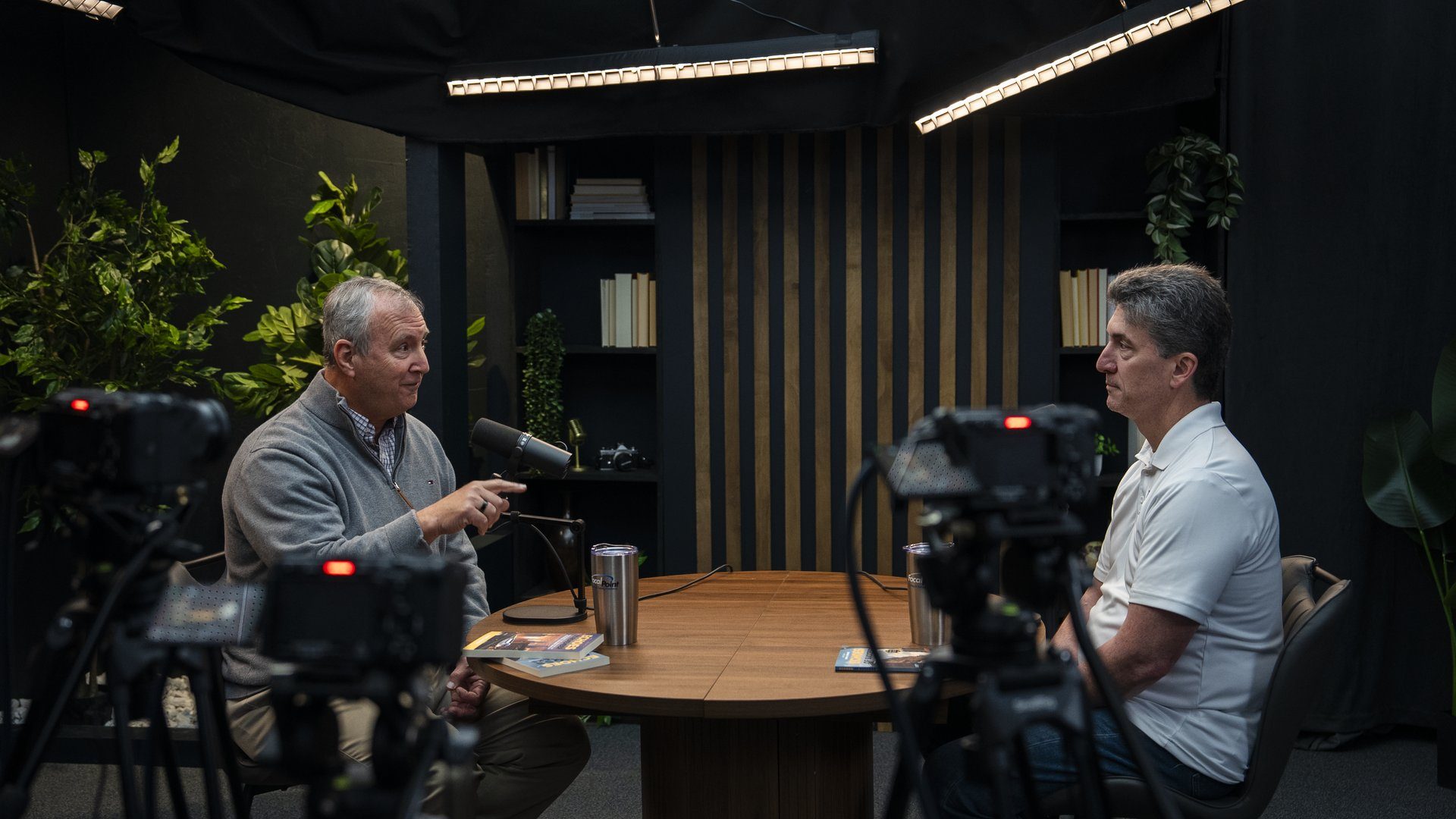
Cluttered backgrounds, harsh lighting, and framing errors all undermine the credibility of training content — even when employees can't articulate why. The visual environment signals whether the organization takes training seriously. A professional studio set communicates competence before the presenter says a word. The webinar production environment at CPS is designed specifically for this kind of high-credibility recorded content.
Module length under 15 minutes
Research consistently shows that completion rates drop sharply for on-demand video beyond 15 minutes. For training content specifically, the sweet spot is 8-12 minutes per module. Longer content should be broken into a clearly-titled series, not crammed into a single session. Employees can work through a series at their own pace — a single long recording becomes a barrier.
Strong opening
The first 60 seconds determine whether an employee engages with the rest. The opening needs to answer one question: "Why does this matter to me right now?" Not what the session covers — why it's relevant to the person watching. Skip the title card reading, the "thank you for joining," and the agenda overview. Get to the relevance immediately.
Studio vs. DIY: What Changes When You Record for Training
Many organizations start with DIY recording — a laptop camera in a conference room, screen-share recording, or a basic webcam setup. For internal announcements or quick updates, that can work. For training content that represents the organization and is intended to be reused for years, the quality gap has real consequences.
Here's what actually changes when you move to a professional recording environment:
- Consistency across sessions. DIY setups introduce variation — different rooms, different lighting, different background arrangements. A professional studio delivers the same environment every time, which matters when you're building a library of content that should feel like it belongs together.
- Audio control. HVAC noise, ambient office sound, echo off hard surfaces — these are constants in most workplace environments. A treated studio environment eliminates them. The presenter's voice is the only sound in the recording.
- Presenter focus. In a DIY setup, the presenter is managing their own environment — checking the frame, worrying about lighting, dealing with distractions. In a studio, the production team handles all of that. The presenter focuses on delivery. That shift in attention shows in the final recording.
- Batch recording efficiency. A single studio day at CPS can produce 4-8 training modules — an entire onboarding library, a full compliance series, or a product knowledge update covering multiple areas. The content strategy behind batch recording means you're not scheduling individual sessions for each topic. You plan once, record once, distribute everything.
If you're in Greater Cincinnati or Northern Kentucky and you're evaluating whether a studio session makes sense for your training content, the Discovery Call is the right starting point. We can scope the session based on how many modules you need and what delivery format your LMS or internal platform requires.
How to Repurpose a Recorded Training Webinar
A recorded training webinar isn't a single-use asset. With the right source recording, you can extend it into multiple formats without additional production sessions:
- LMS module library. Slice longer recordings into individual topic segments, each under 15 minutes, and organize them into a structured learning path on your LMS. The source recording already contains the content — this is an editing and organization task.
- Short clips for reinforcement. Pull 2-3 minute segments covering a specific policy, step, or concept. Distribute these as reinforcement clips via internal channels — Slack, Teams, or email — to keep content top of mind without requiring another full session. Our short-form video production process applies directly here.
- Internal podcast or audio content. Extract the audio track for teams that prefer to learn while commuting or during other activities. For leadership development content, audio-only distribution can significantly increase reach.
- Written knowledge base articles. Use the transcript to generate SOPs, policy summaries, or knowledge base entries. The recording captures the organization's clearest articulation of a topic — that language belongs in written documentation too.
- Onboarding highlight reels. Create a 3-5 minute orientation highlight reel from multiple training modules to give new hires context before they go deeper into individual sessions.
This is what a content library built on professional recordings looks like — one well-produced session day becomes months of usable content across formats. The Cincinnati Business Podcast is built on the same principle: one recording session produces content that distributes across multiple channels and formats.
If you want to see how this works in practice, reach out to the team or look at our podcast idea research service as a starting point for scoping the right format for your training goals.
Frequently Asked Questions
How long should employee training webinars be?
Keep individual modules under 12-15 minutes. Longer content should be broken into a series with clear titles. Research consistently shows retention drops sharply after 15 minutes for on-demand video — shorter segments are easier to complete, easier to retake, and easier to slot into a workday.
What's the difference between a training webinar and an online course?
A training webinar is typically a single session or short series, often covering one policy, process, or topic. An online course is a structured curriculum with progressive modules, assessments, and a defined learning path. The line blurs when webinar recordings get organized into a course format on an LMS. Our course creation studio handles both formats.
Do I need a professional studio to record training webinars?
Not always — but the quality gap matters more for training content than most people expect. Poor audio causes drop-off. Inconsistent lighting signals low production value, which affects credibility. If training reflects organizational standards, the production environment sends a message about those standards.
Can I record multiple training modules in one studio session?
Yes — batch recording is one of the biggest advantages of studio production. A well-prepared presenter can record 4-8 training modules in a single day, creating an entire library in one session. Preparation is the key: scripts or outlines ready, topics sequenced, visual aids prepared in advance.
How do I make training webinars employees actually watch?
Start with a clear answer to "why does this matter to me?" Keep each module focused on one outcome. Use professional audio so the content doesn't feel like a chore. Break longer content into segments. And record in an environment that signals the organization takes the training seriously.
Can the recordings be used on an LMS or internal platform?
Yes. Recorded webinars can be exported in standard video formats compatible with most learning management systems (LMS), shared via internal platforms, or hosted privately. The key is getting a clean recording file at professional quality — not a compressed screen recording.
Build a Training Library That Gets Used
The organizations that get the most out of recorded training content treat it like infrastructure, not a one-off project. They plan the library, record in batches, and build a system for distributing and updating content over time.
That's exactly what a studio session at Cincinnati Podcast Studio is designed to support. We work with Cincinnati and Northern Kentucky organizations — HR teams, L&D departments, consultants, and leadership teams — to plan and record training content that actually gets used. Professional audio, clean visuals, batch recording efficiency, and a production team that handles the setup so your people focus on delivery.
If you're building or updating your training library, schedule a Discovery Call to scope the right session for your goals. Or explore our full production services to see what one session can produce.