
How to Turn a Webinar Into Content That Keeps Working for Your Business
How to Turn a Webinar Into Content That Keeps Working for Your Business
Most businesses record a webinar, send a replay link to attendees, and move on. The recording gets filed away — maybe never watched again. That's a significant missed opportunity. A single webinar contains enough raw material for a month of content if you approach it with a plan.
This is the playbook for turning one webinar recording into blog posts, video clips, social media assets, and lead-generating content without doubling your team's workload.
Quick Answer
You can turn a single webinar into 10–20 pieces of content: a blog post from the transcript, 3–6 short video clips for LinkedIn and social media, pull quotes for email campaigns, a lead-magnet PDF, and show notes. The key is planning your repurposing workflow before you hit record — not after.
Why Most Businesses Leave Webinar Value on the Table
Webinars take real effort to produce. You prepare the content, coordinate speakers, promote the event, manage the live experience, and follow up with attendees. After all of that, the recording usually gets archived — and that's where the value dies.
The recording you just created is a full-length piece of authority content. Your presenter spent 30–60 minutes sharing expertise, answering questions, and walking through a topic your audience cares about. That information doesn't expire when the livestream ends. It compounds — if you put it to work.
The gap isn't a content problem. It's a workflow problem. Most teams don't have a clear process for what happens after the webinar ends, so repurposing never gets prioritized. By the time someone remembers the recording exists, the momentum is gone.
The fix is simple: decide your repurposing plan before you record, and assign ownership for each output before the webinar happens.
The Core Assets You Can Pull From One Webinar Recording
A 45-minute webinar, recorded in a professional studio with clean audio and broadcast-quality video, can realistically produce all of the following:
- Blog post — Use the transcript as a first draft. Clean it up, restructure it with headers, add a quick-answer section and FAQs, and you have an SEO-ready article.
- Short-form video clips — 3–6 clips of 60–90 seconds each, pulled from the highest-value moments. These work on LinkedIn, Instagram, and YouTube Shorts.
- Pull quotes — Strong one-liners or key statistics for social posts, email headers, or quote graphics.
- Q&A content — The audience questions from your webinar are real search queries. Each one can become a FAQ answer, a blog section, or a standalone LinkedIn post.
- Full-length YouTube upload — The complete recording, properly titled and tagged, builds your searchable video library over time.
- Lead magnet PDF — Export your slide deck with key frameworks highlighted. This gives you a downloadable asset for email capture.
- Email sequence — Break the webinar into 3–5 key takeaways and send them as a nurture email series to attendees and new leads.
- Show notes — A structured summary with timestamps and links, useful for both attendees and new visitors discovering the recording later.
None of these require creating new ideas. They're all inside the webinar you already recorded. The work is in the extraction and formatting — not in generating new content.
Our webinar production services are designed with repurposing in mind — clean audio, broadcast-quality video, and professional studio lighting mean every clip you extract holds up without heavy post-production.
How to Repurpose a Webinar Into SEO Content
The blog post is usually the easiest win and often the most valuable one for long-term traffic.
Start with the transcript. Most webinar platforms and recording tools generate a transcript automatically. It won't be publish-ready — speaker pauses, filler words, and conversational structure don't translate directly to written content — but it gives you a skeleton to work from. Clean it up, break it into sections with H2 headings that match how your audience searches, and add a direct answer section at the top.
The Q&A section of your webinar is especially valuable for SEO. Those are real questions your audience asked in real-time. They're the same questions people type into Google. Turn each one into a FAQ answer block and you've built AEO-ready content that can appear in featured snippets and AI-generated search summaries.
One webinar can realistically produce multiple blog posts — not just one. Each major section of your webinar can stand on its own as a standalone article. A 45-minute webinar with four main sections could yield a four-part blog series, each piece targeting a slightly different keyword angle.
If your business serves B2B clients in Greater Cincinnati or Northern Kentucky, add a local relevance line naturally within the content. Something like: "For Cincinnati-area teams running quarterly webinars for clients or prospects, this approach turns a single production day into months of content." That kind of framing adds local SEO value without forcing it.
The Cincinnati Business Podcast uses this exact model — each episode produces a full content ecosystem rather than a single touchpoint. The same principle applies to webinars.
Short-Form Video and Social Media From One Webinar
Short-form clips are where webinar repurposing gets visible. A well-produced webinar recording gives you raw material for LinkedIn, Instagram Reels, and YouTube Shorts — without any additional filming.
The goal is to identify 3–6 moments in your webinar that work as standalone clips. These are usually:
- A surprising statistic or counterintuitive claim
- A clear step-by-step explanation that works without context
- A strong opinion or recommendation
- A direct answer to an audience question
- A moment where the presenter gets specific and concrete
Clips of 60–90 seconds perform best on LinkedIn for B2B content. Keep them punchy, add captions (most LinkedIn video is watched without sound), and use a text overlay or thumbnail that makes the topic clear before anyone hits play.
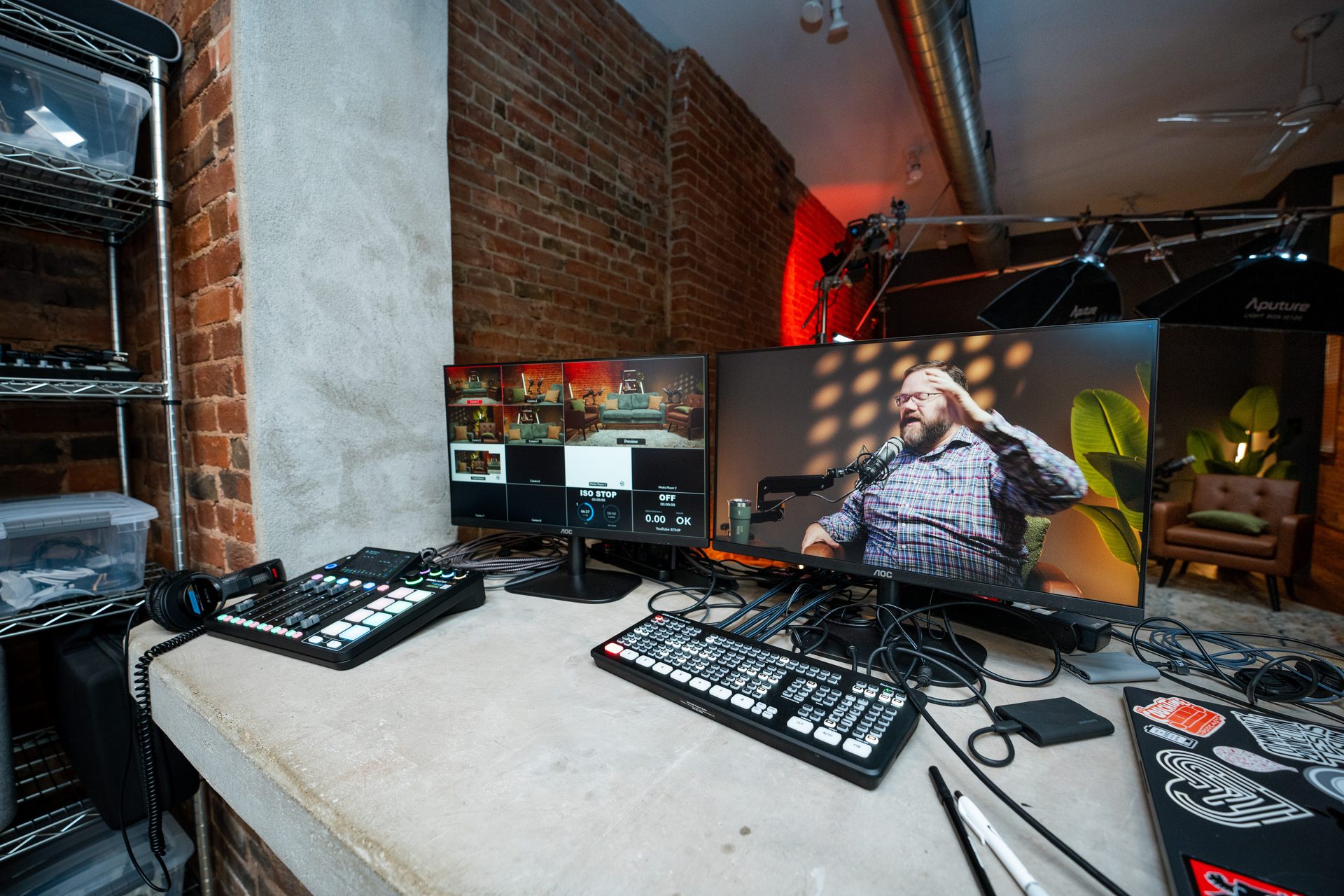
Studio-recorded webinars give you a significant advantage here. Clean lighting, professional audio, and a polished set mean your clips look broadcast-ready without expensive post-production work. A webinar recorded in a home office or conference room often produces clips that require heavy editing before they're shareable. Studio footage is usable as-is.
Our short-form video production team can help you identify clip-worthy moments and format them for each platform — so you're not manually scrubbing through 45 minutes of footage looking for the right 90 seconds.
Don't overlook LinkedIn text posts built from your clips. Each clip you produce can also become a companion text post: quote the key insight, frame the context in two sentences, and embed the video. That gives you two pieces of content per clip — the video and the written post.
Building a Repurposing Workflow That Actually Gets Done
The reason webinar repurposing doesn't happen at most companies isn't lack of intention — it's lack of a system. Here's a practical workflow that keeps it moving.
Before the webinar:
- Identify which repurposing outputs you want: blog post, clips, email series, YouTube upload
- Brief your presenter to pause naturally between sections — this creates clean cut points for editing
- Assign each deliverable to an owner before the webinar happens
Immediately after the webinar:
- Pull the transcript while the content is fresh
- Flag 3–6 clip-worthy moments in the recording (timestamp them)
- Capture the audience Q&A — this is your FAQ content
Within the first week:
- Publish the blog post
- Upload and schedule your short-form clips
- Send the first email in your replay/nurture sequence
- Upload the full recording to YouTube with proper title and description
Batching matters. The longer you wait after a webinar to start repurposing, the less likely it is to happen. Build the workflow into the production timeline — not as an afterthought.
If your team doesn't have the bandwidth to execute repurposing consistently, a production partner can handle the extraction and formatting so you stay focused on the content itself. Our content strategy consulting team works with B2B businesses to build sustainable content engines around their existing webinar and podcast programs.
If you're building a broader content system — not just for webinars but for podcasts, courses, and video — video podcasting and course creation follow the same repurposing logic. One production event, multiple distribution formats.
For Cincinnati and Northern Kentucky B2B teams: if you're running quarterly thought leadership webinars for clients, prospects, or internal teams, a systematic repurposing workflow turns each event into six to eight weeks of content assets. That's a meaningful return on a single production investment.
FAQs: Turning Webinar Recordings Into Content
How many pieces of content can you get from one webinar?
Most webinars yield 10–20 content pieces: a blog post, 3–6 short video clips, pull quotes, a Q&A FAQ page, an email nurture sequence, and a lead magnet PDF from the slides. The exact number depends on your webinar length and how systematically you approach repurposing.
Do I need a professional studio to record a webinar I can repurpose?
Not always — but a professional studio makes repurposing significantly easier. Studio-recorded webinars produce clean audio, broadcast-quality video, and well-lit footage that holds up as short-form clips without heavy post-production work.
What's the easiest first asset to pull from a webinar recording?
The blog post. Run your transcript through a cleanup pass, restructure it as an article with headers, add a quick-answer section and FAQs, and you have an SEO-ready post in a fraction of the time it would take to write from scratch.
How long should webinar clips be for LinkedIn?
60–90 seconds performs best on LinkedIn for business content. Pull the most quotable or insight-dense moments — a surprising stat, a clear how-to step, or a strong opinion. Add captions since most LinkedIn video is watched without sound.
Can I turn an internal training webinar into public-facing content?
Yes — with judgment. Training webinars that cover product knowledge, industry best practices, or professional development topics can often be repurposed externally. Just review the content for anything proprietary or audience-specific before publishing.
When should I plan my webinar repurposing strategy?
Before you record — not after. Decide which sections you want to clip, brief your presenter to pause between key points for natural cut points, and know who owns each content deliverable. Planning ahead saves significant editing time.
Start Getting More From Every Webinar You Record
The webinars your business is already producing contain more content than most teams ever use. A clear repurposing workflow — built into your production process from the start — turns each event into a content asset library rather than a single-use recording.
If you want to see what a fully repurposable webinar production looks like, book a Discovery Call with our team. We'll walk you through how Cincinnati Podcast Studio produces webinars specifically for content extraction — clean footage, structured formats, and a production setup that makes repurposing practical. You can also explore our resources hub or contact our team directly to talk through your next production.